

Export Inventory
2 Apr 2026 · 09:44 PM
0 views
Used to record stock deductions from the system when products are used internally, returned, expired, or lost. Users can specify the quantity to be deducted to ensure that the remaining stock in the system accurately reflects the actual inventory.
1. Log in to the Back Office
Go to login.gpos.co.th, enter your email and password, then click Log in.
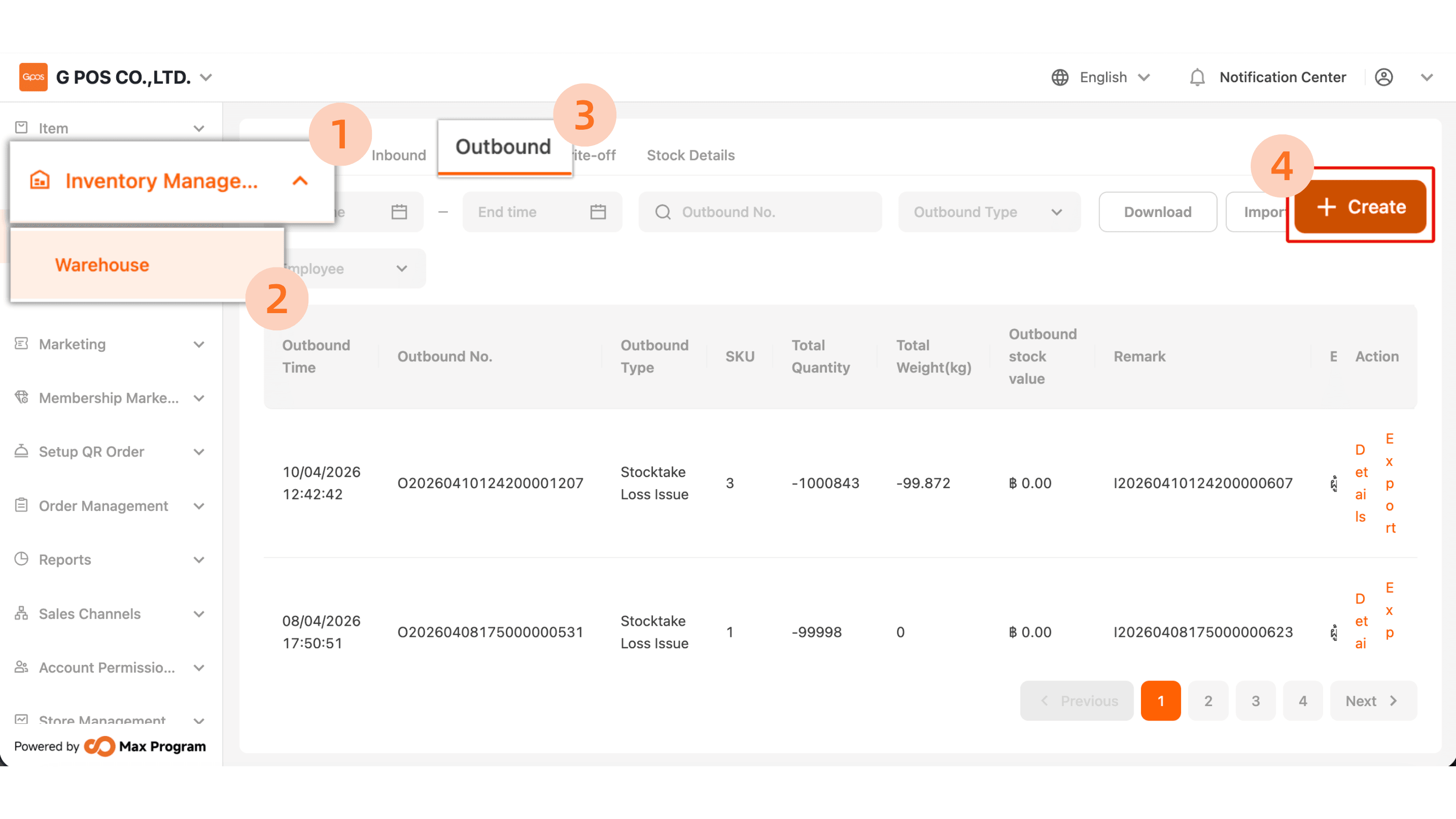
Click “Inventory Management” > “Warehouse” > “Outbound” > “+Create.”
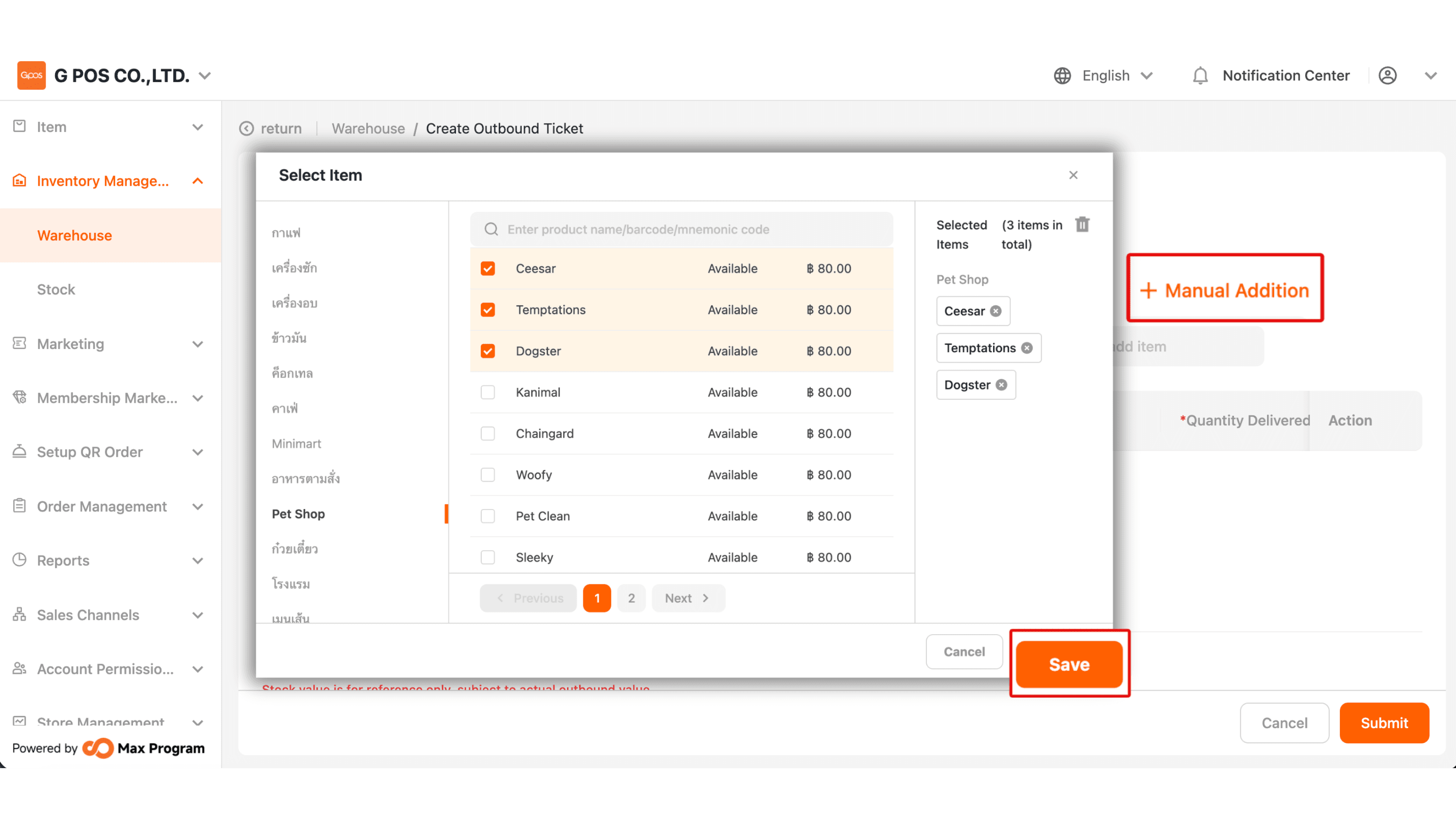
2. Tap “+ Manual Addition” to go to the item list page, then select the items as needed and press “Save.”
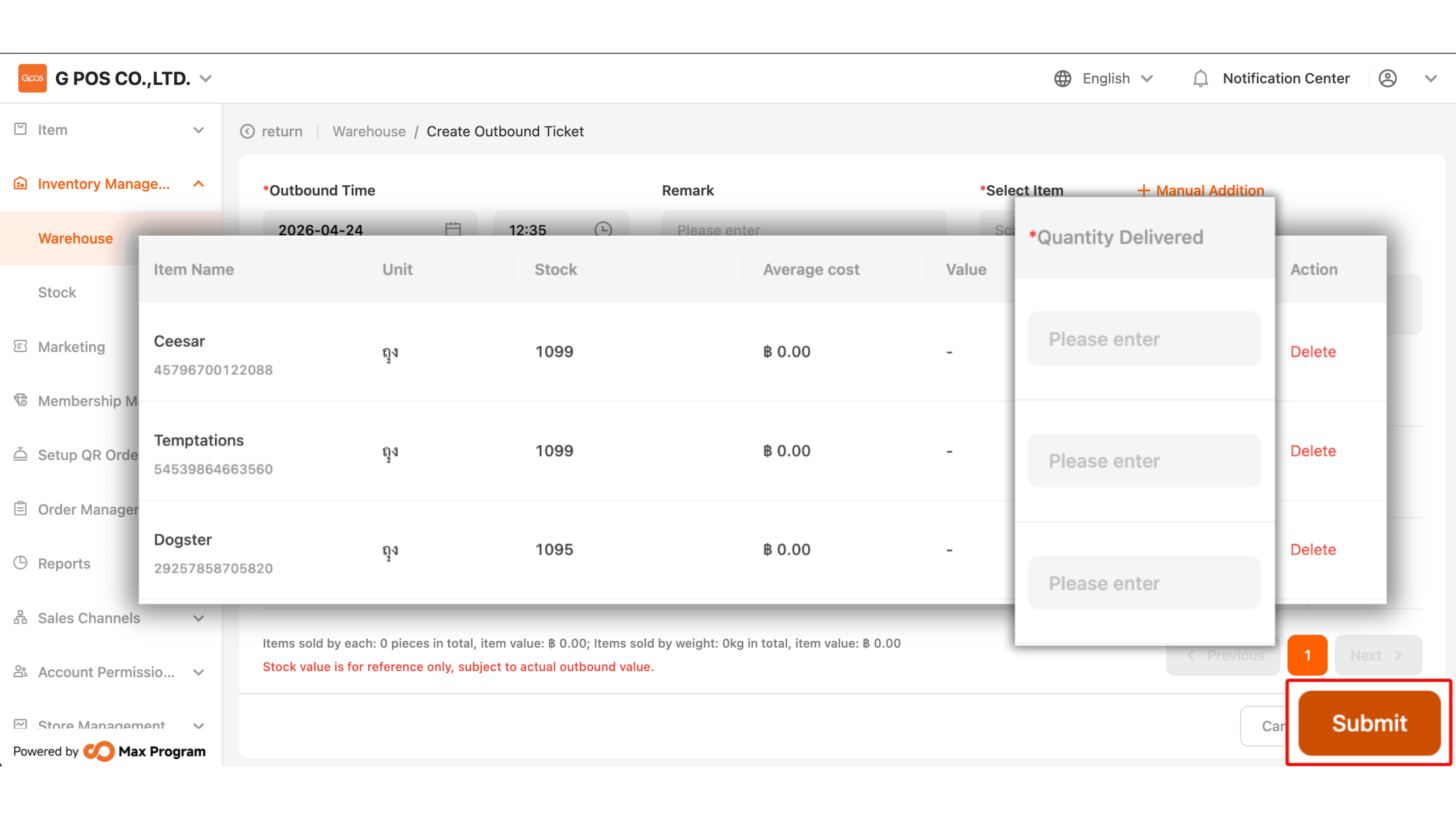
3. Enter the quantity to export in the “ Quantity Delivered” field. Once done, click “Submit” to save the transaction.