

Import Inventory
2 Apr 2026 · 09:49 PM
Used to add or update product stock quantities in the system by importing actual purchased stock data. The system automatically adds the imported quantities to the existing stock levels. This feature is suitable for stores with a large number of products or those that need to update stock quantities all at once without entering each item individually.
1. Log in to the Back Office
Go to login.gpos.co.th, enter your email and password, then click Log in.
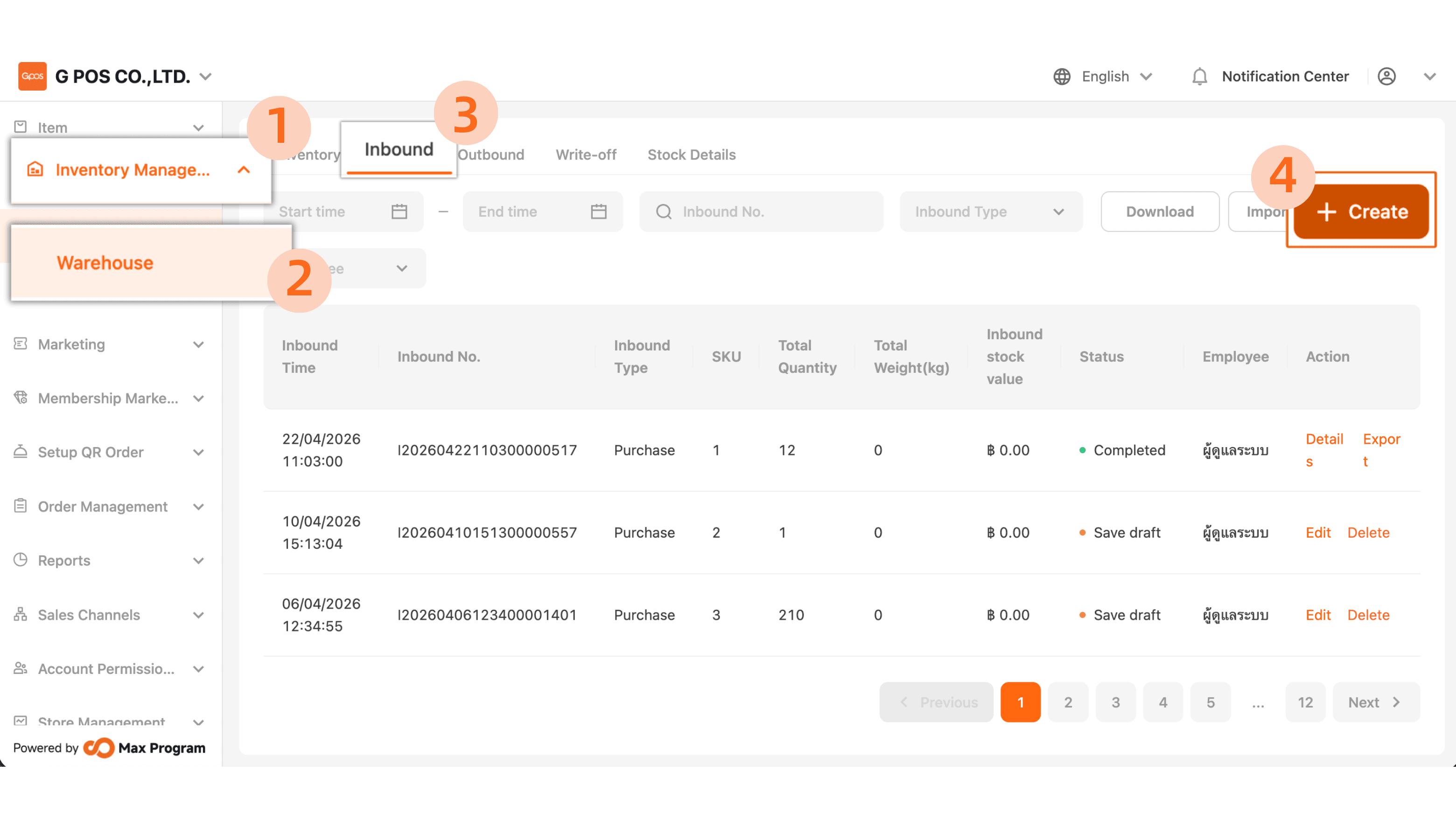
Click “Inventory Management” > “Warehouse” > “Inbound” > “+Create.”
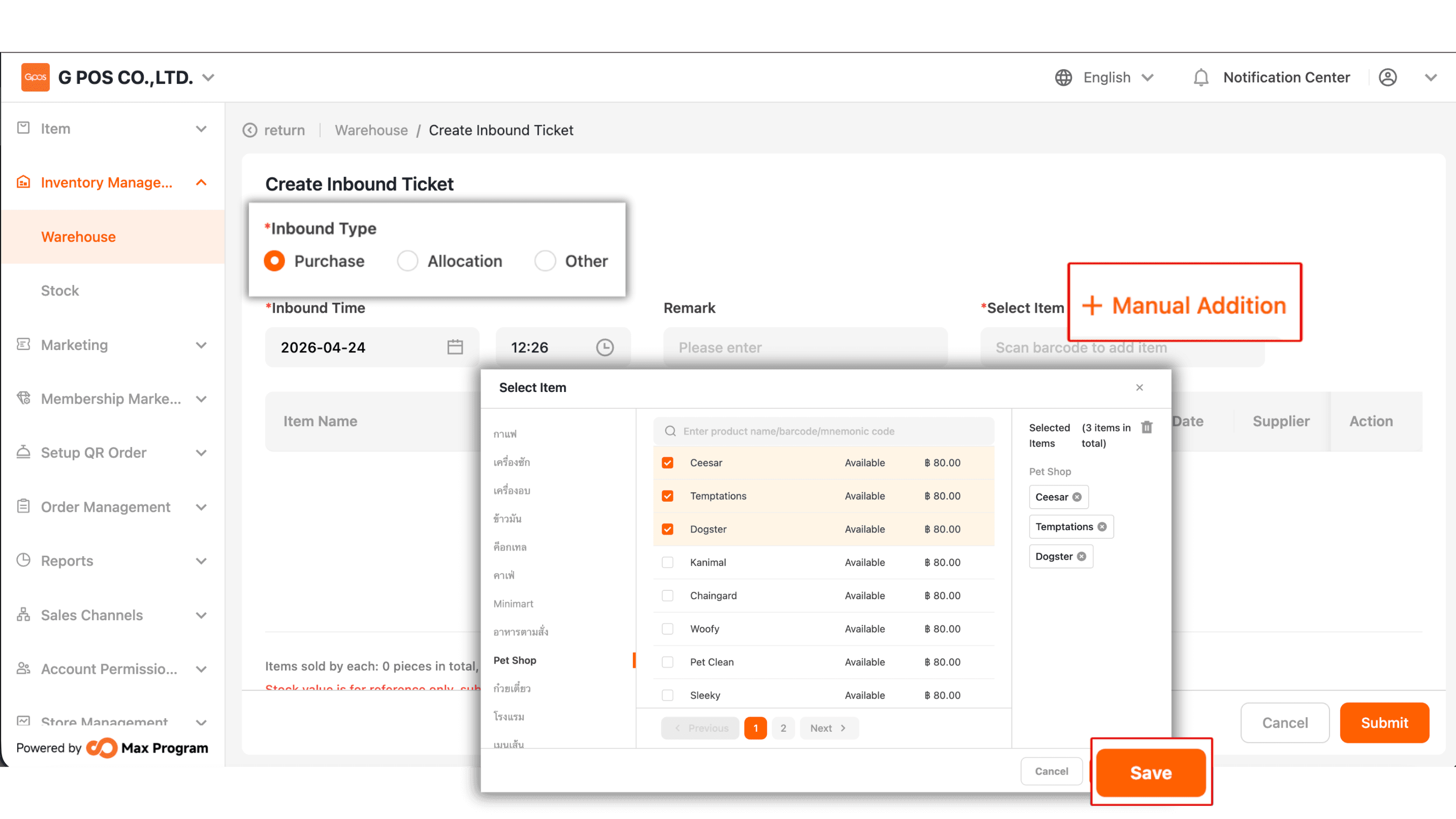
2. You can select the import type, then tap “+ Manual Addition” to choose the product items. After that, press “Save.”
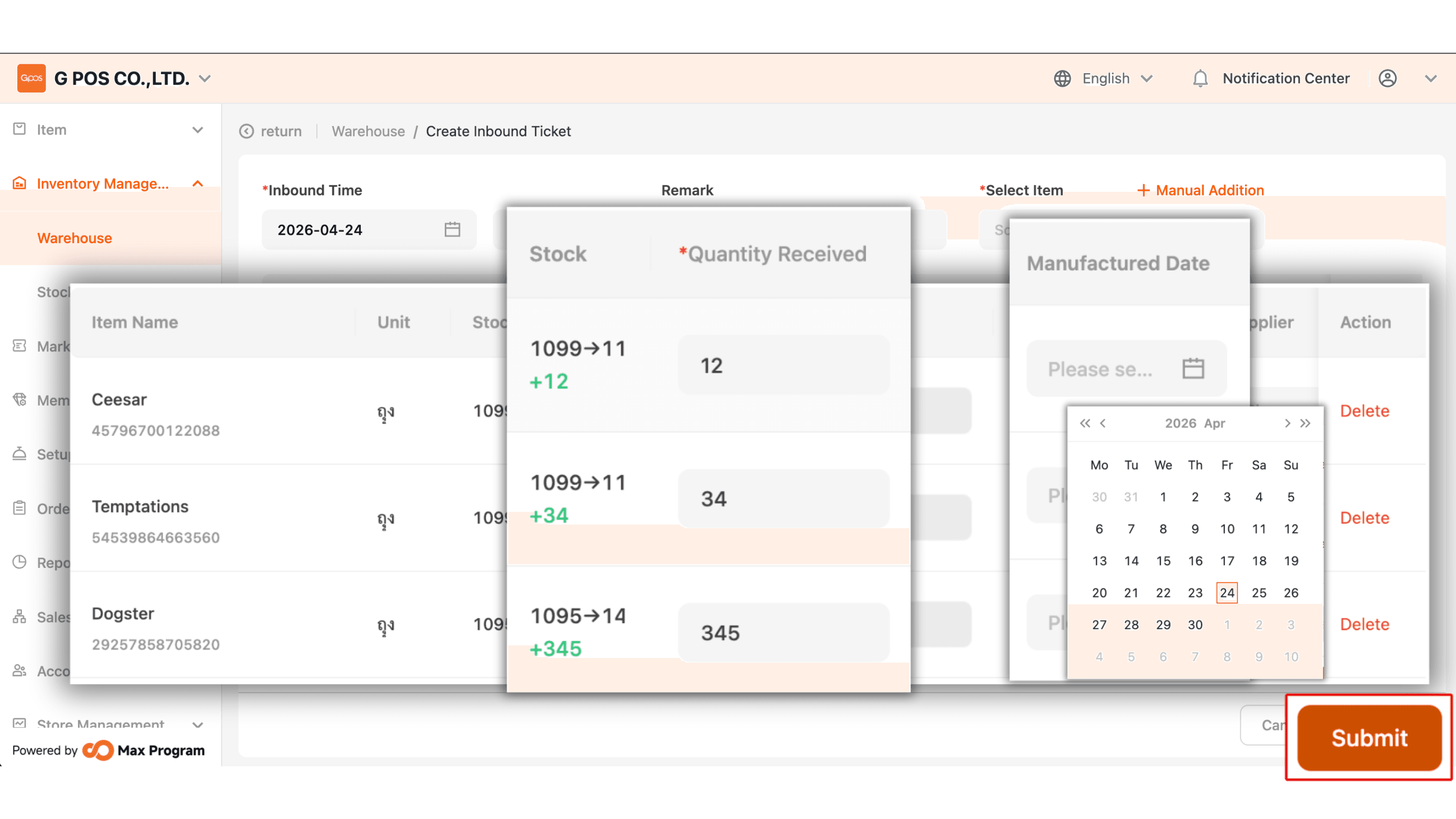
3. Once the items are selected, enter the quantity in the “ Quantity Received” field based on the imported amount.
|Manufacturing Date is used if the store needs to track expiry dates or separate product batches; you can enter that information here.