

Split Multipack
9 Nov 2026 · 12:34 PM
Supports general retail businesses in managing inventory for both carton/pack and individual unit sales by linking them to a shared stock quantity. When an individual item is sold, the system automatically deducts the quantity from the carton or pack inventory, ensuring that the remaining stock is always accurate and up to date.
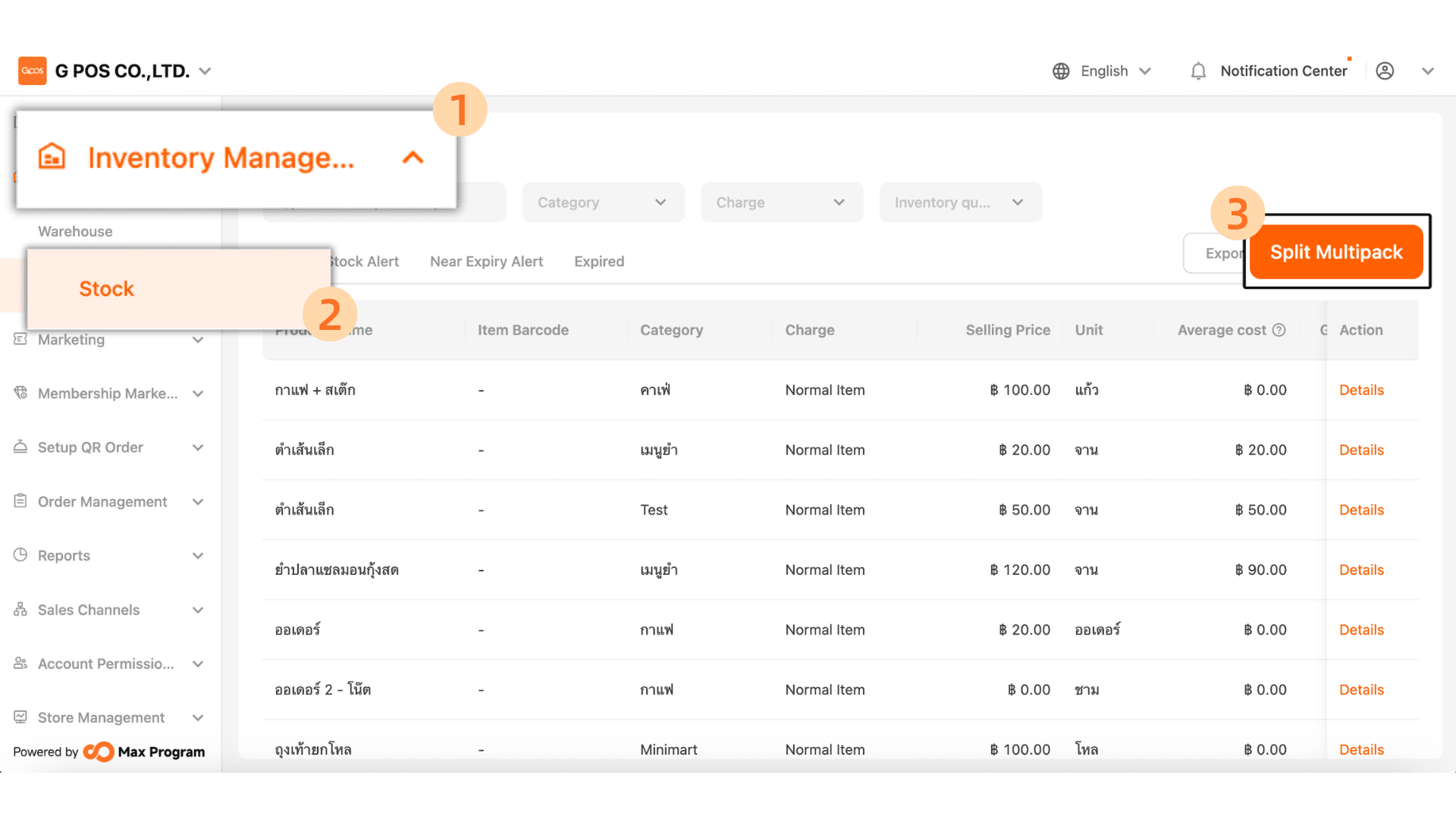
1.Click. Inventory manager > Stock > Split Multipack
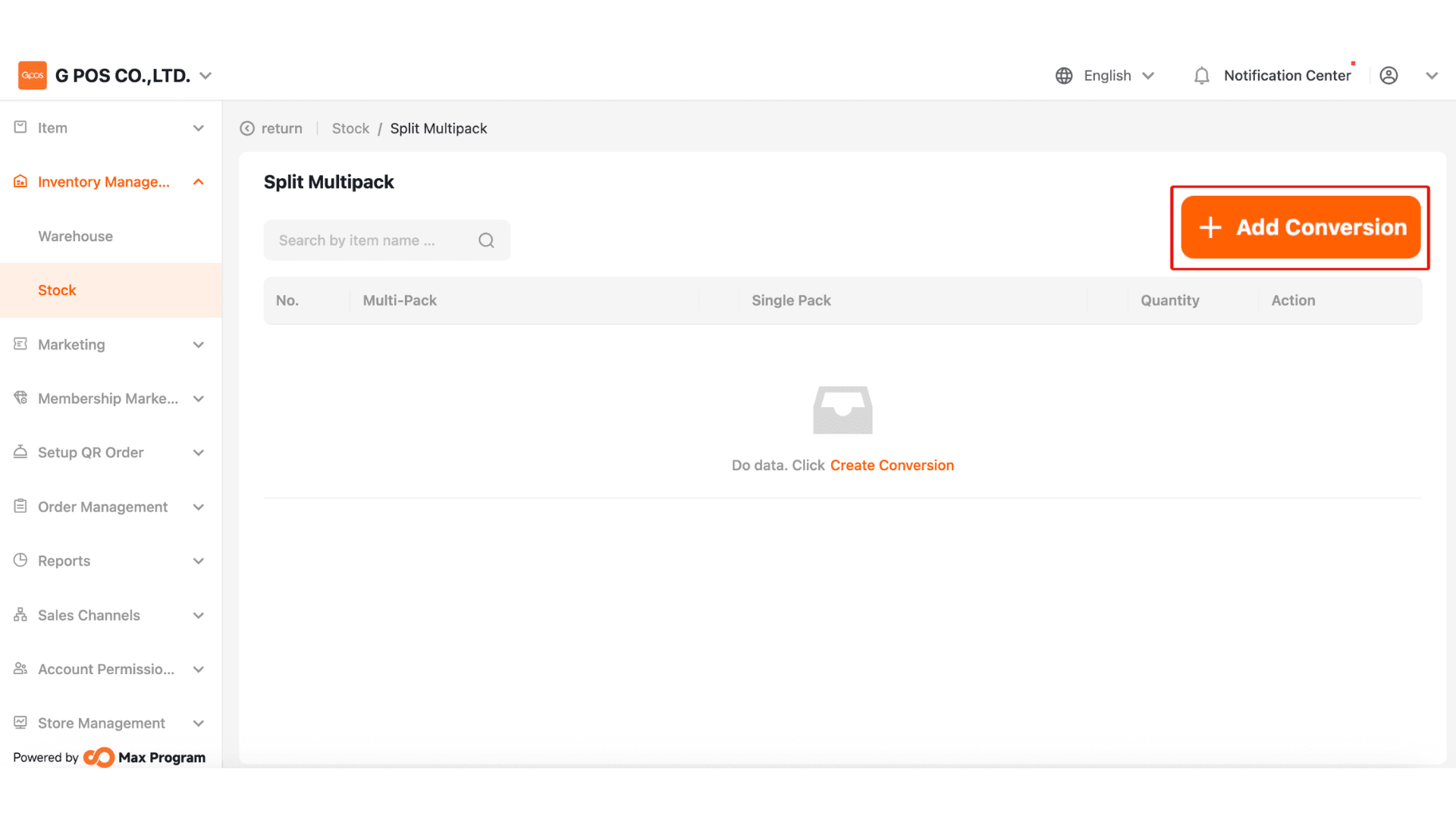
2.Click +Add Conversion
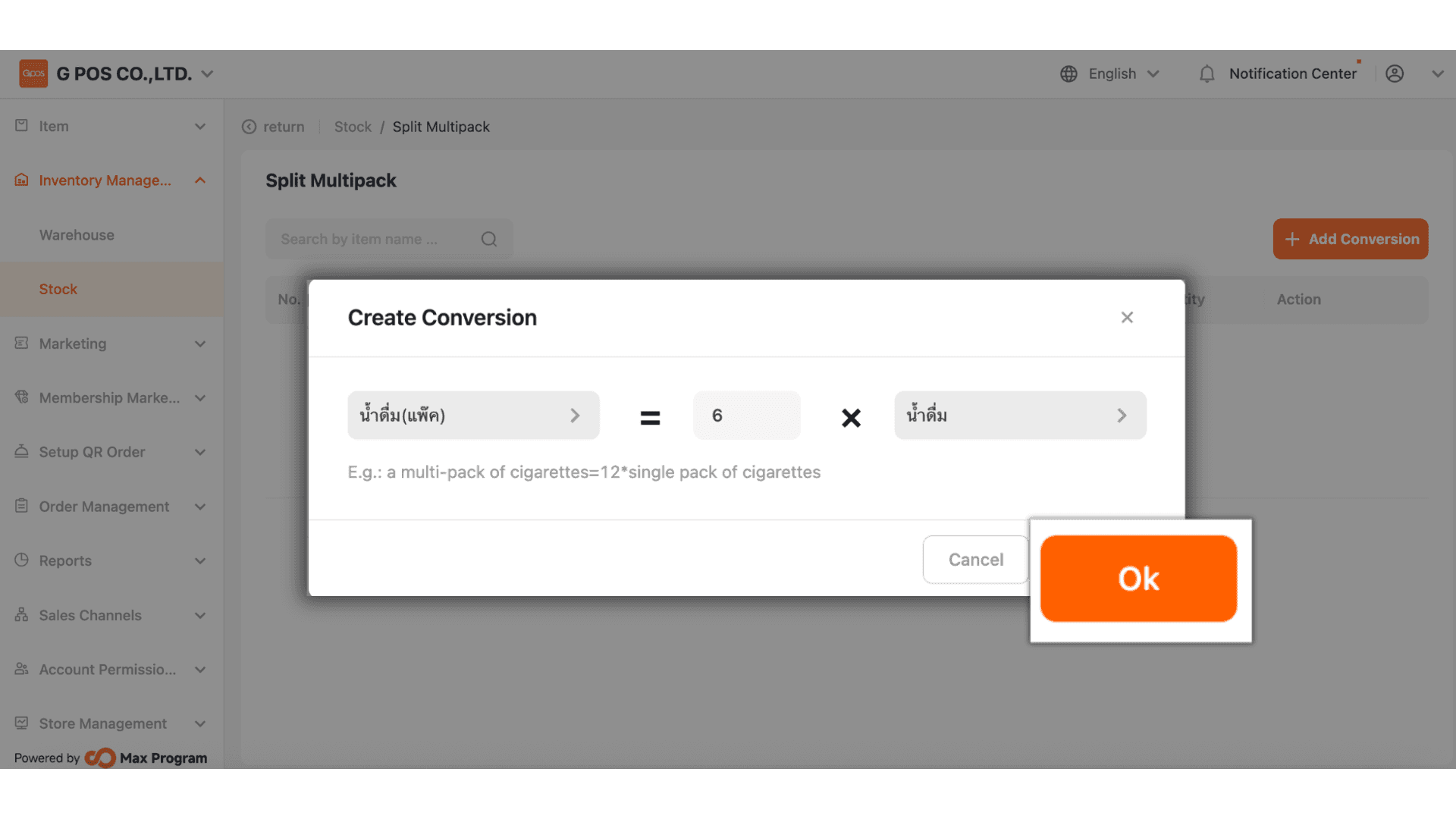
3.To create a split package item:
1.Select the base stock item — for example, wholesale items such as a carton, pack, or dozen.
2.Enter the quantity of retail units contained in the base item — for example, how many bottles are in 1 carton of water. If it contains 6 or 12 bottles, enter that number in Field 2
3.Select the retail sale item — for example, bottle, sachet, or bag.
Once completed, click “Confirm”.
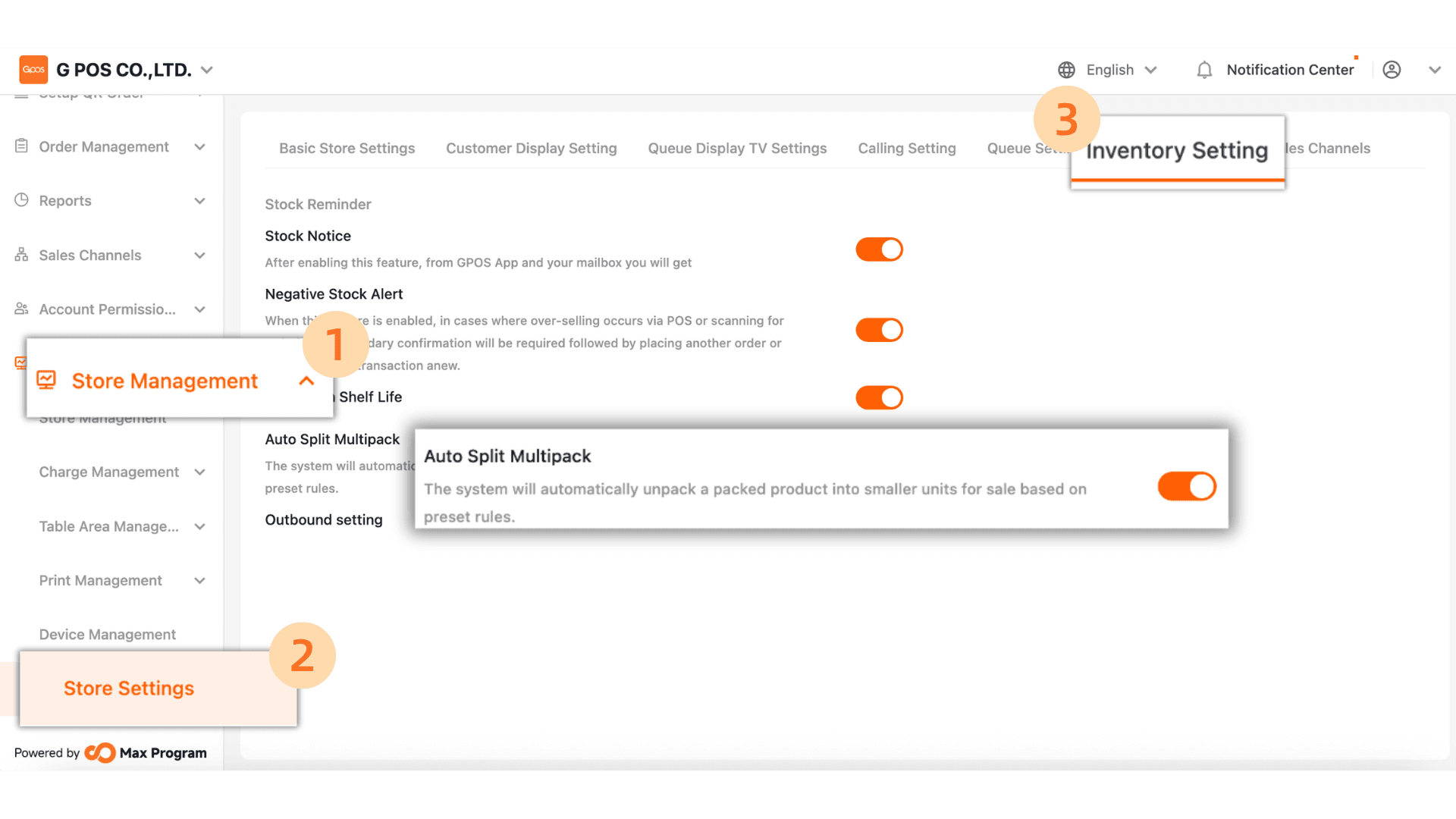
4.After creation is complete, go to
Store Management > Store Settings > Inventory Settings and check the Auto Split Multipack option. Please make sure it is enabled.