




Ingredient Recipe Mapping
11 Jul 2026 · 10:33 AM
Assign ingredient recipes to each menu item, enabling the system to automatically calculate ingredient usage and deduct inventory, reducing management errors while helping you analyze product costs more efficiently.
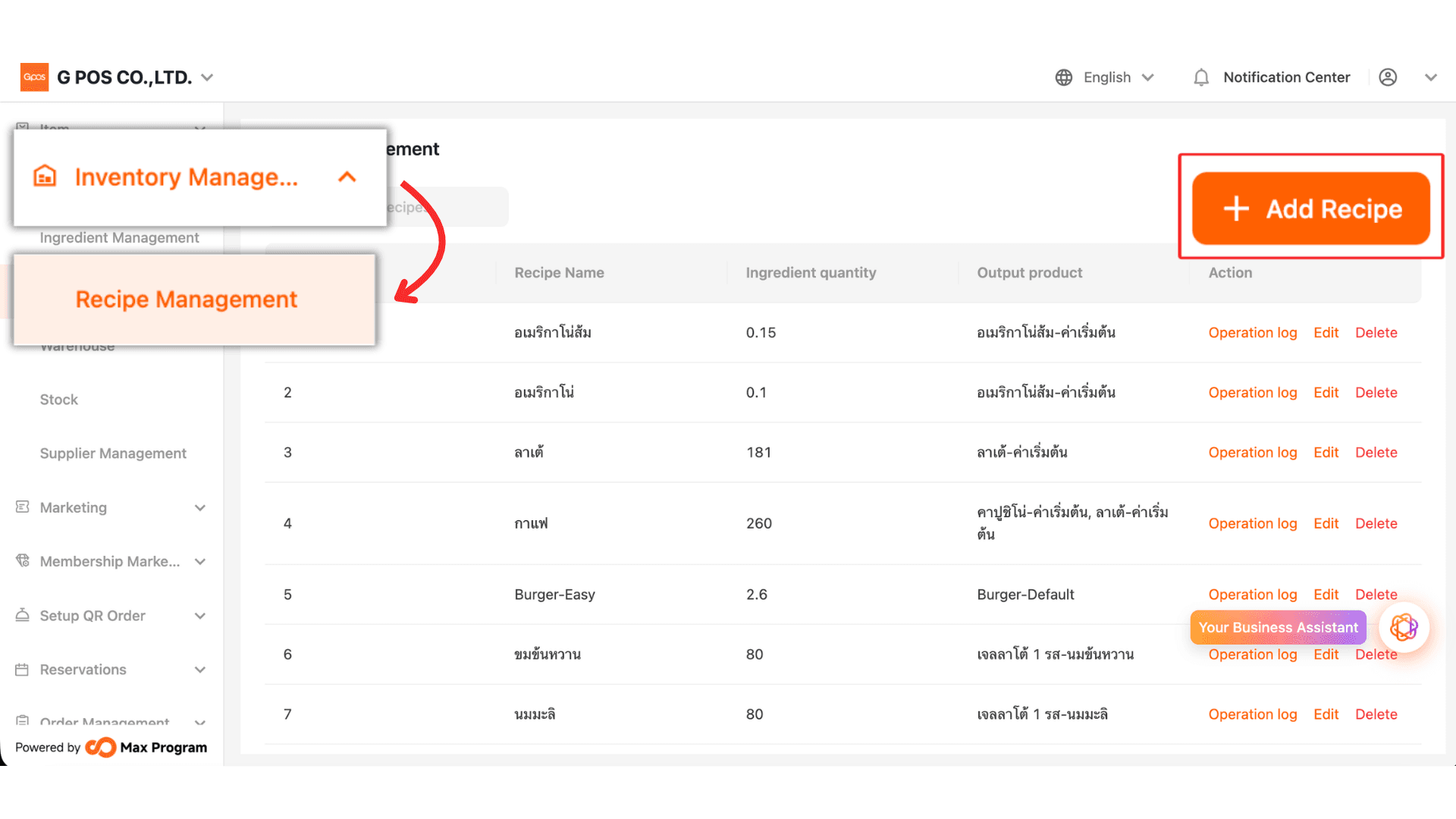
1. Click Inventory Management > Recipe Management > + Add Recipe
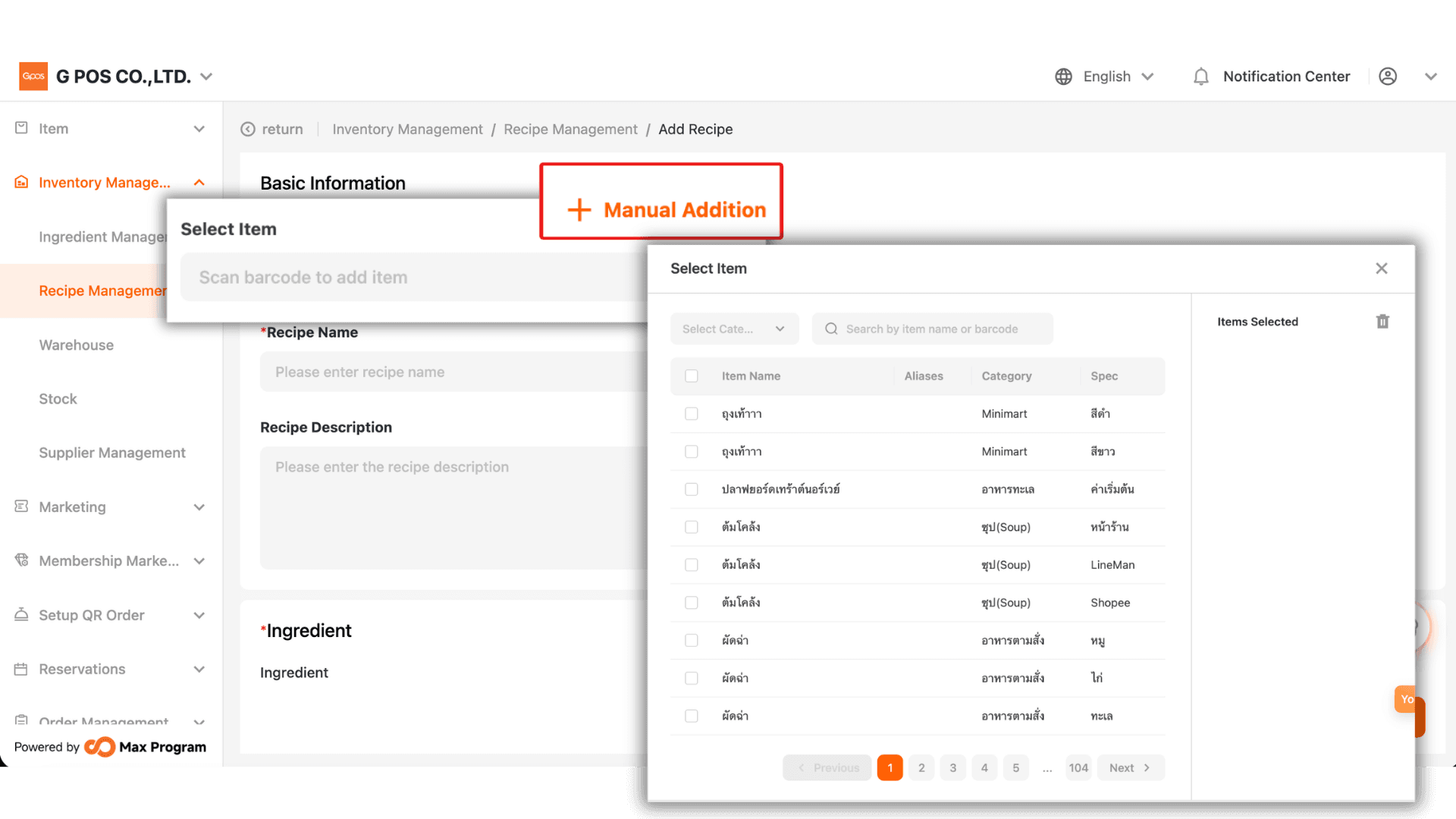
2.Click + Manual Addition to select the product that will use the ingredient recipe you are creating.
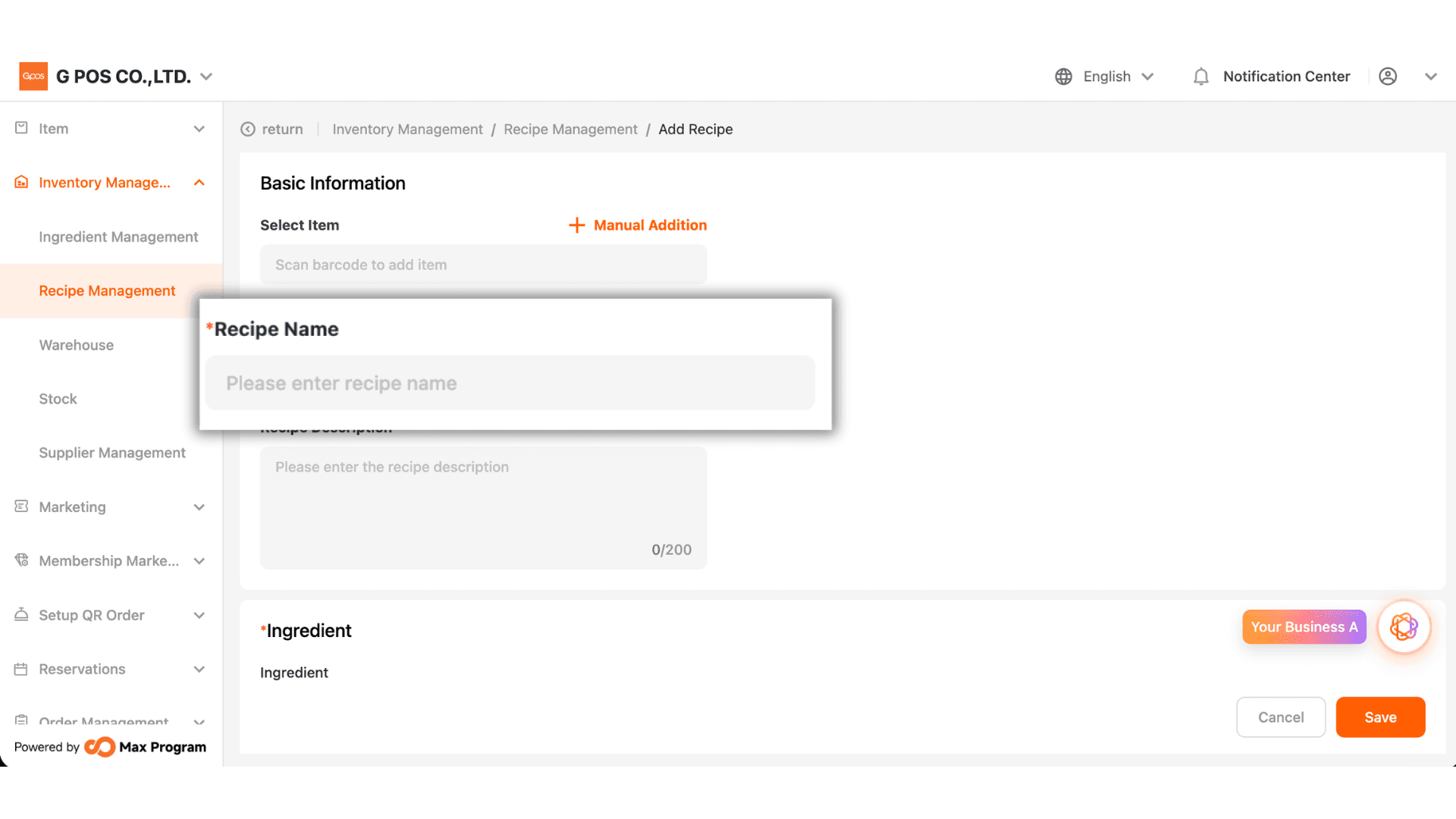
3. Enter the Recipe Name.
Tip: If this recipe is used for a single product, use the product name as the recipe name. If the recipe is shared by multiple products, use a category or ingredient type as the recipe name to make it easier to identify.
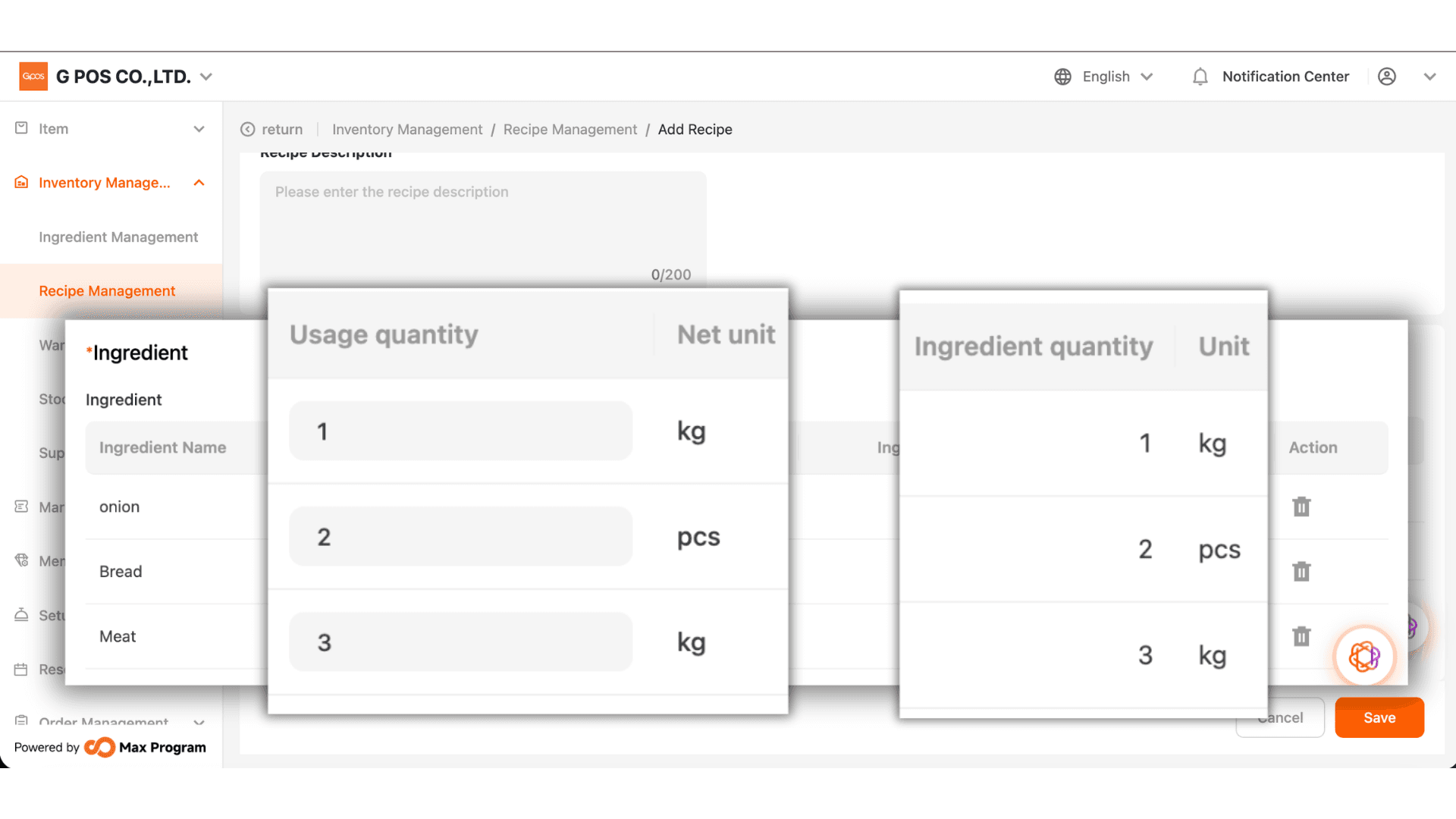
4. Click + Add to select the ingredients you created earlier.
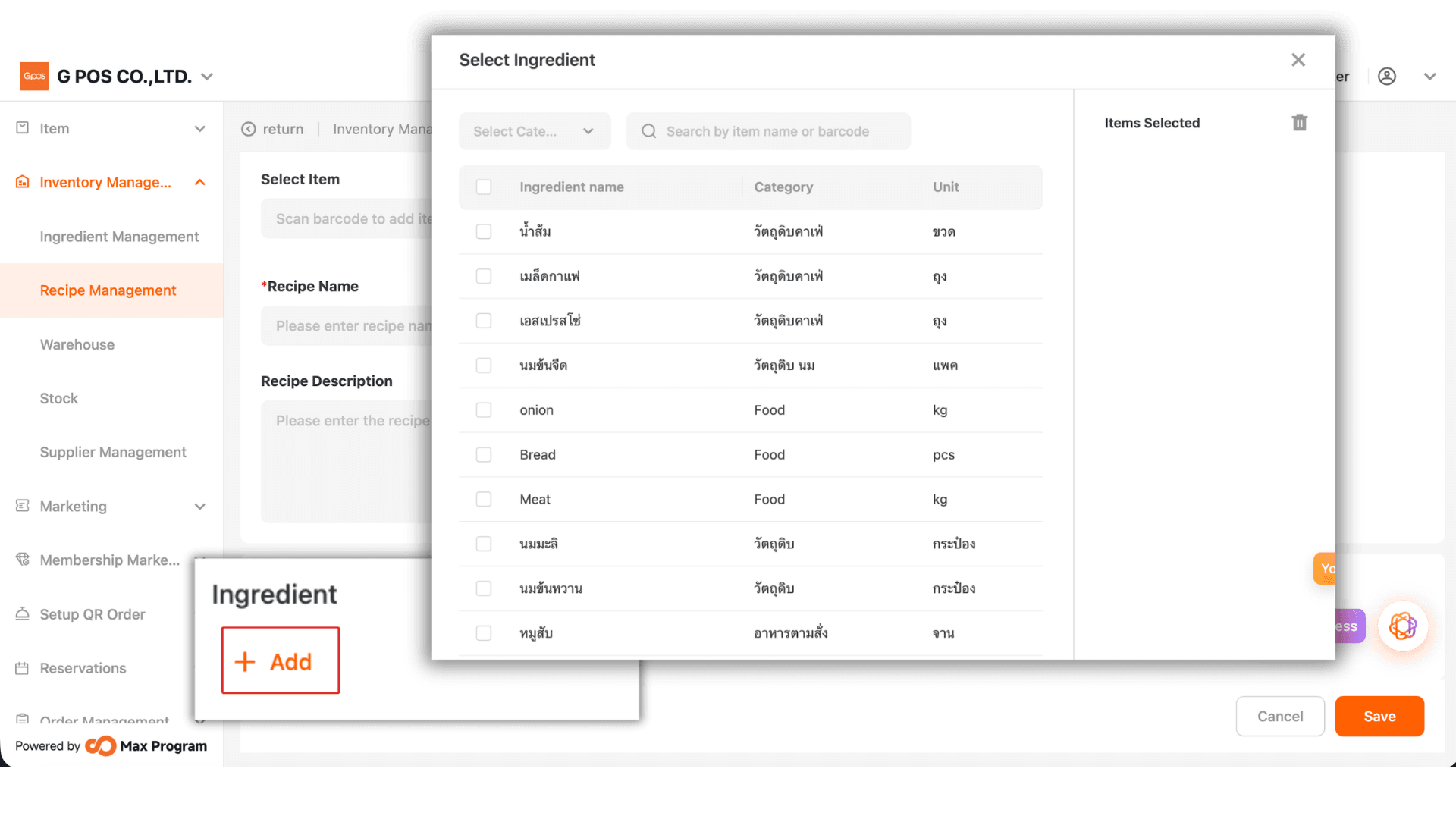
5. Enter the quantity used. The system uses the Net Quantity Unit defined in the ingredient settings to calculate the amount of each ingredient consumed in the recipe.
Example:
Suppose one cup of coffee uses 30 g of milk.
If 1 can of milk contains 100 g, the system calculates the consumption as:
30 ÷ 100 = 0.3 cans
This means 0.3 can of milk will be deducted from inventory each time the recipe is used.