




How to Create Options / Additional Options (Manager App)
1 May 2026 · 10:46 AM
371 views
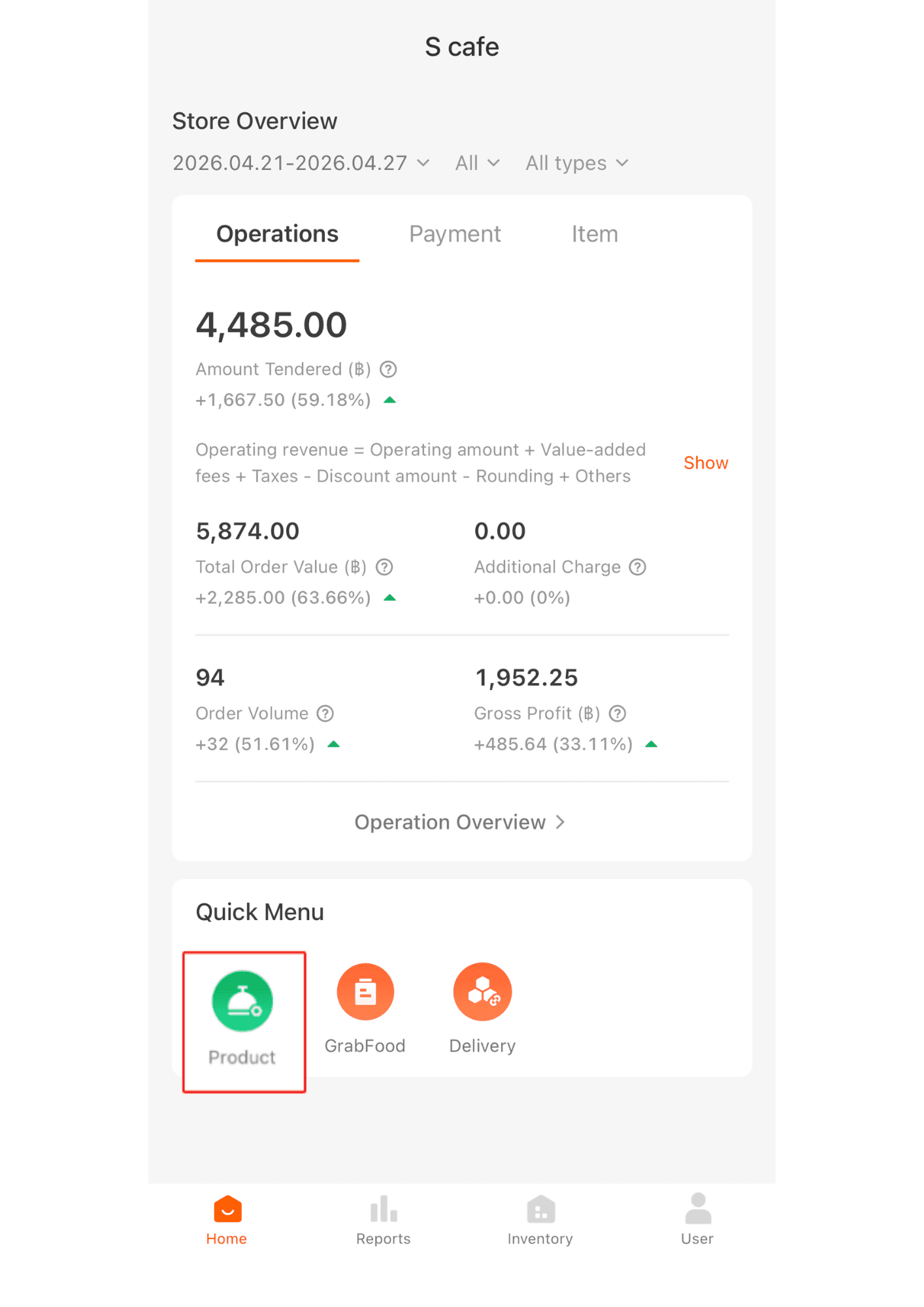
1. Click “Products.”
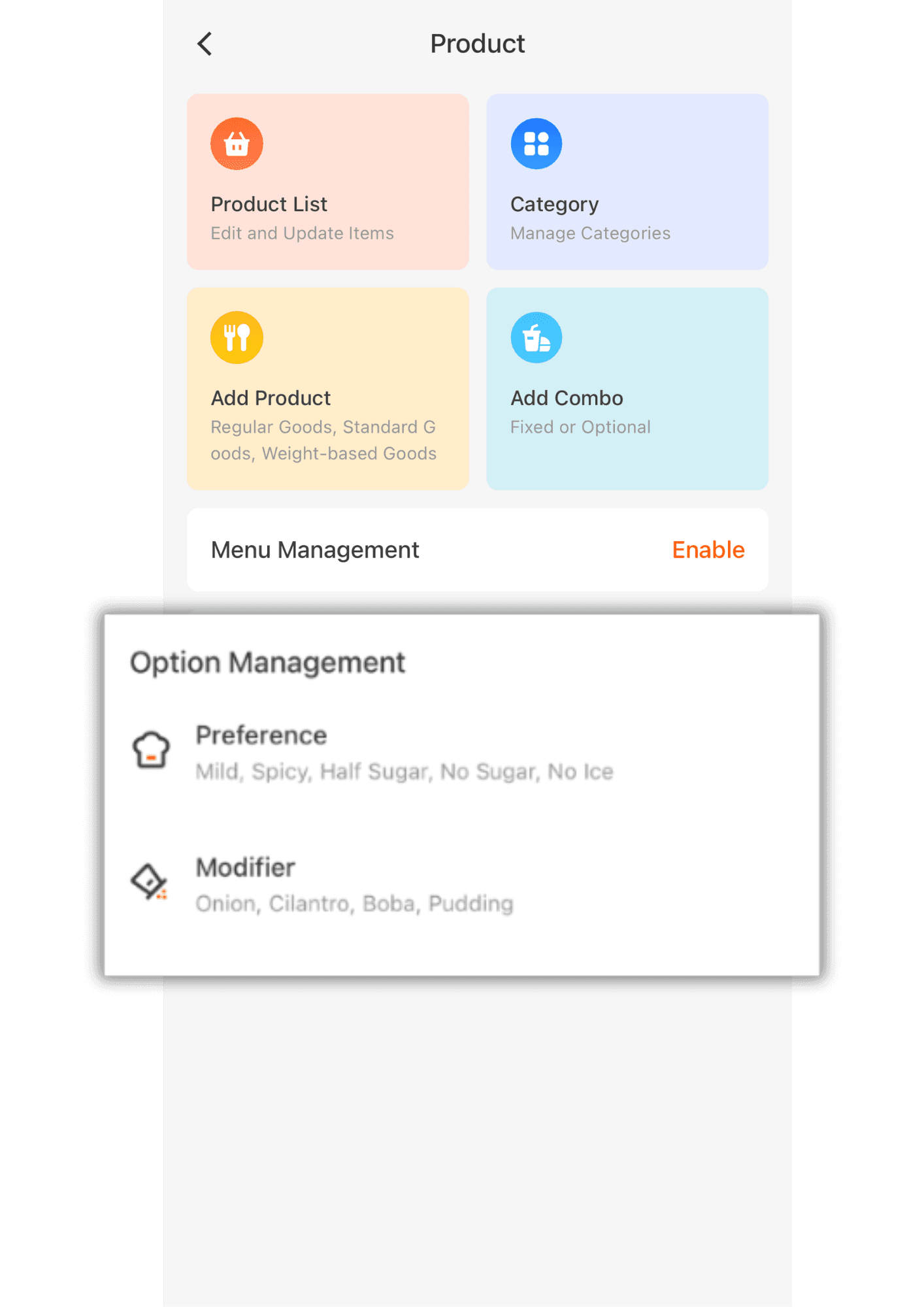
2.Tap “Preference” or “Modifier.” Both functions work the same way and use the same settings.
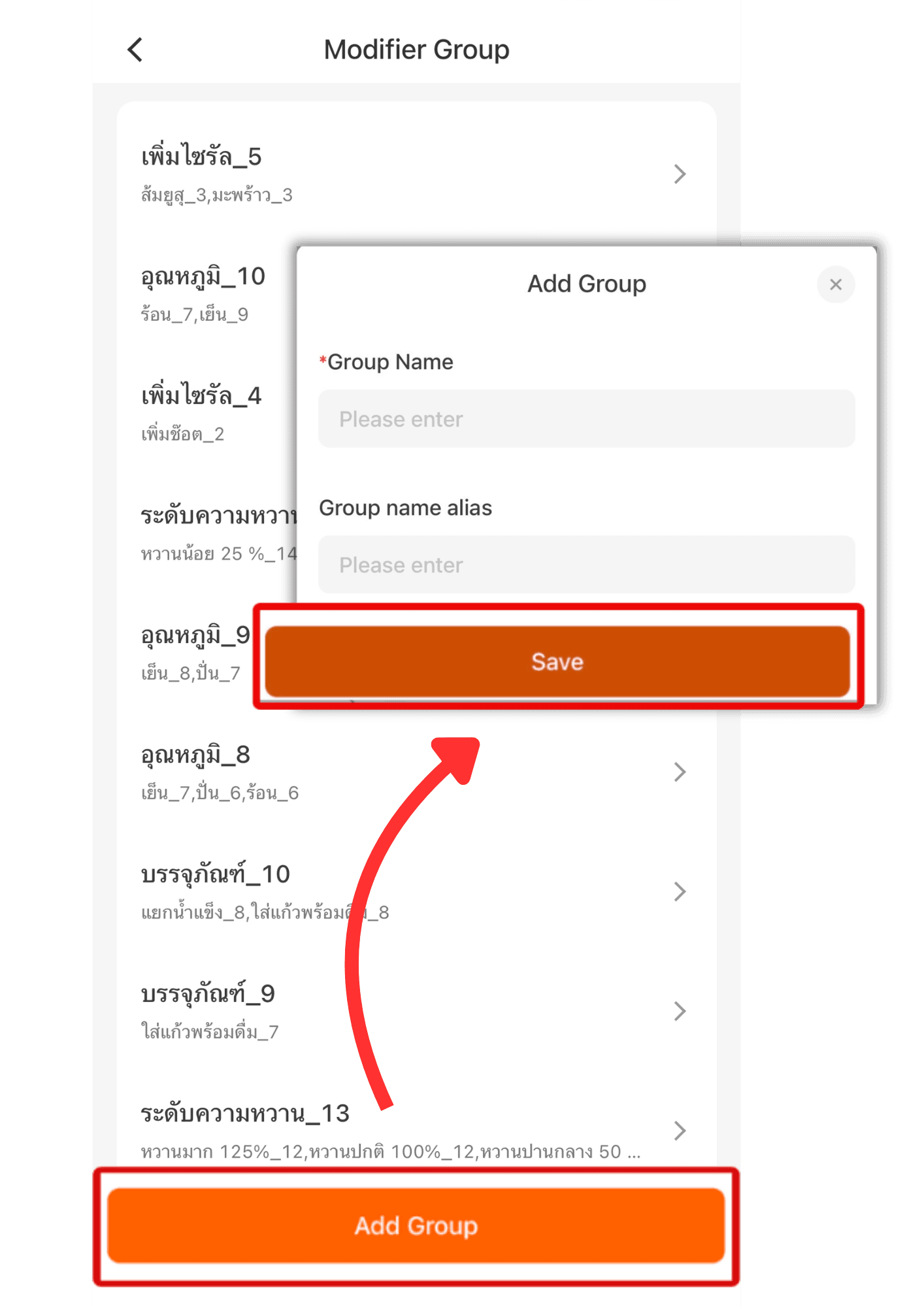
3. Tap “Add Group,” then create options such as sweetness level, meat choice, toppings, etc. Once done, press “Save.”
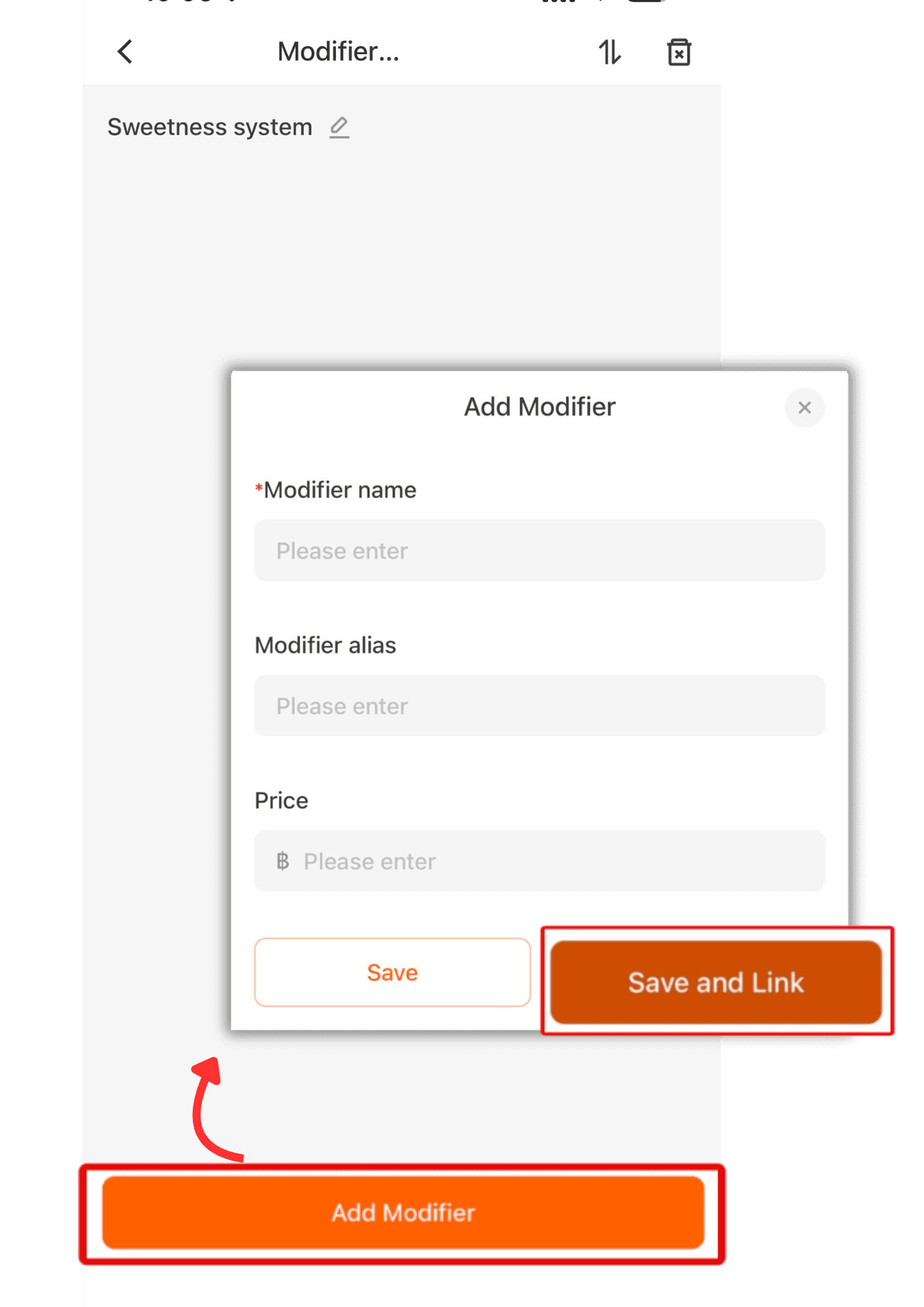
4. Tap “Add Modifier” to add items to the group. Enter names such as Less Sweet, Extra Sweet, Normal Sweet / Hot, Cold, Blended, etc. Once finished, press “Save & Link” to go to the product selection page.
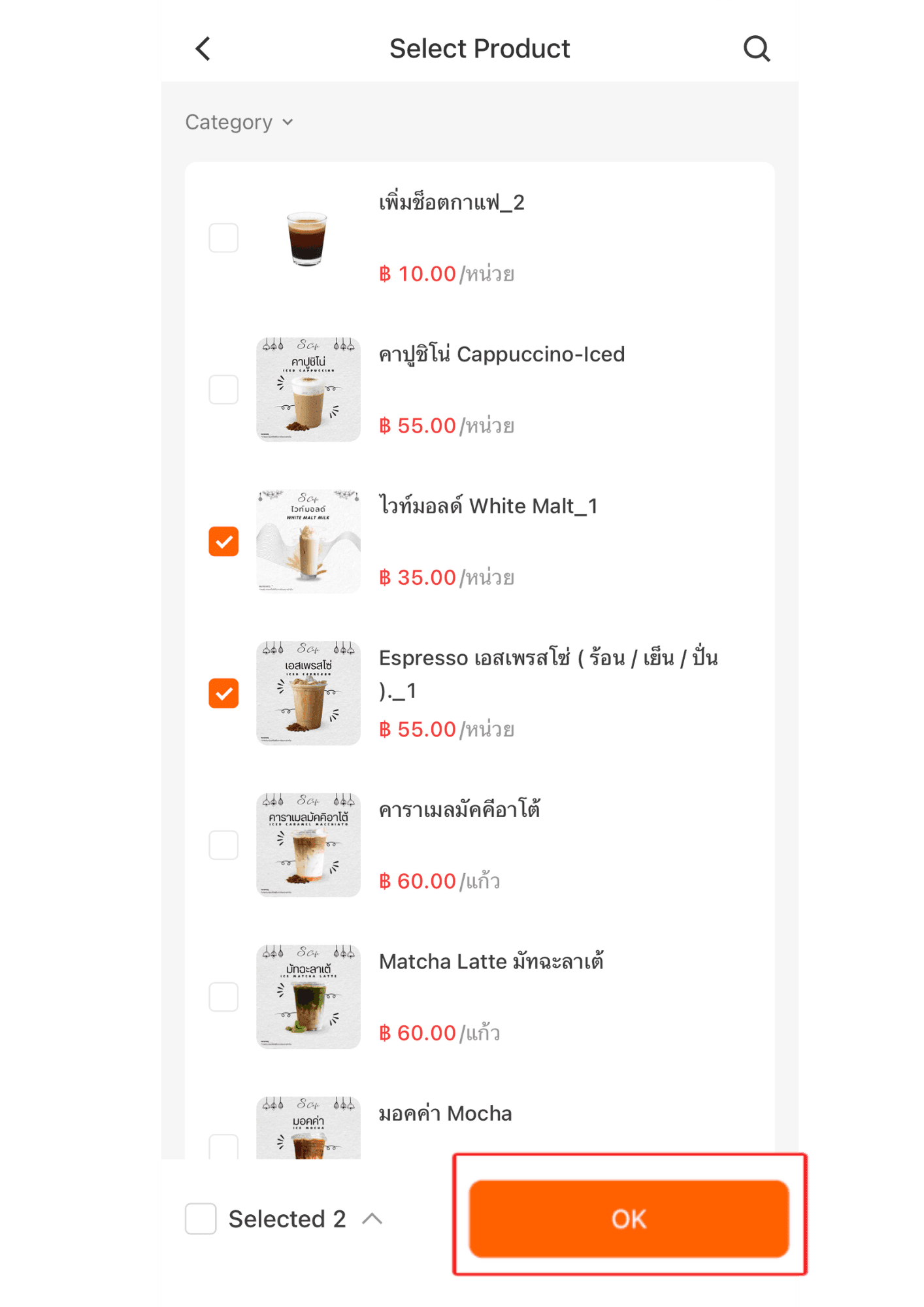
5. Tap the product items you want to link with the options you created, then press “Save.”
|Repeat the same process for each option by linking the products one option at a time.