



Set Item Sales Status
2026-04-04 16:00
1,091 views
Helps make it faster and easier to set items as available, unavailable, or discontinued. It allows multiple items to be updated at once, making it more convenient for customers with many items.
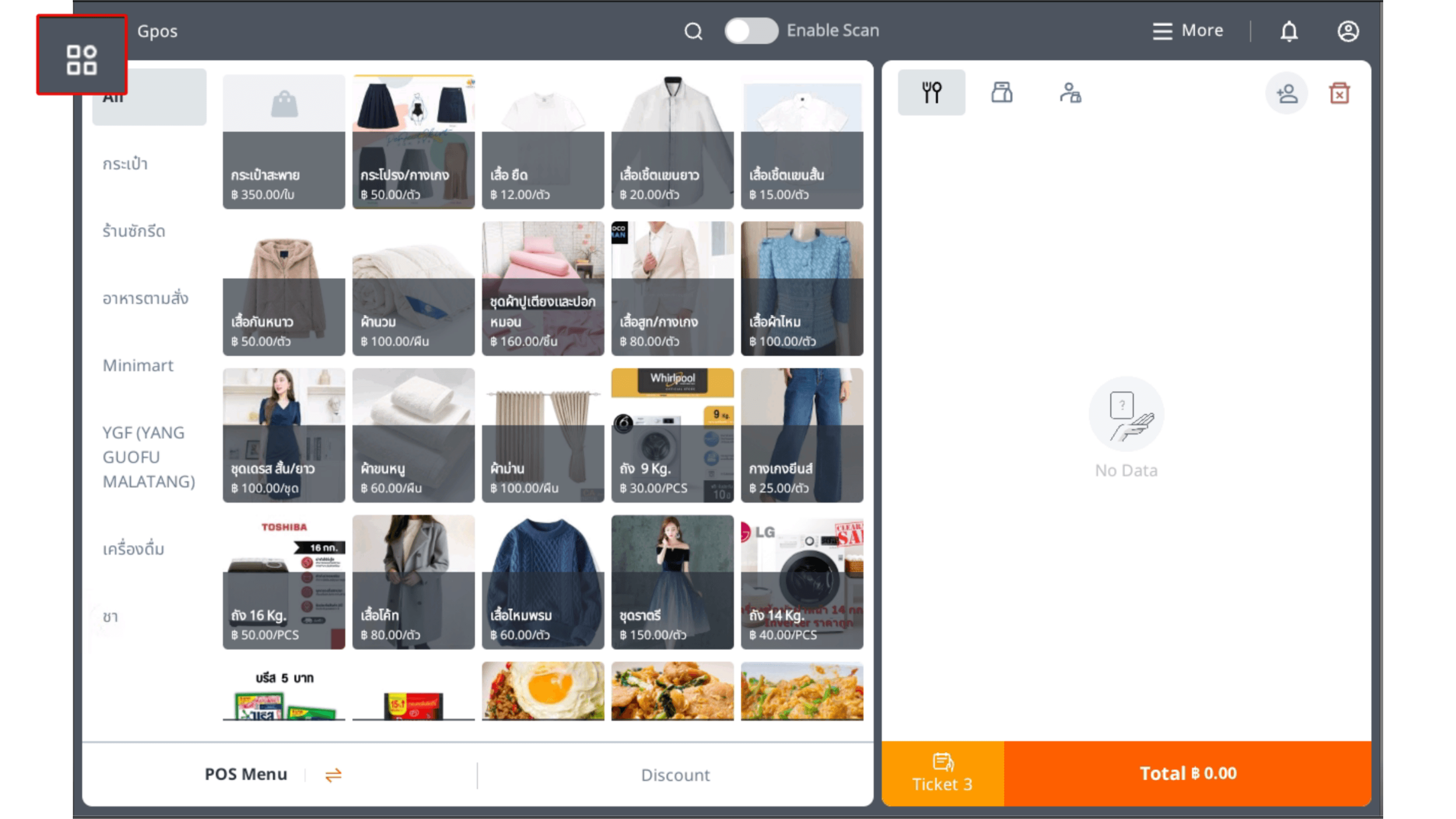
1.Click the square icon in the top-left corner.
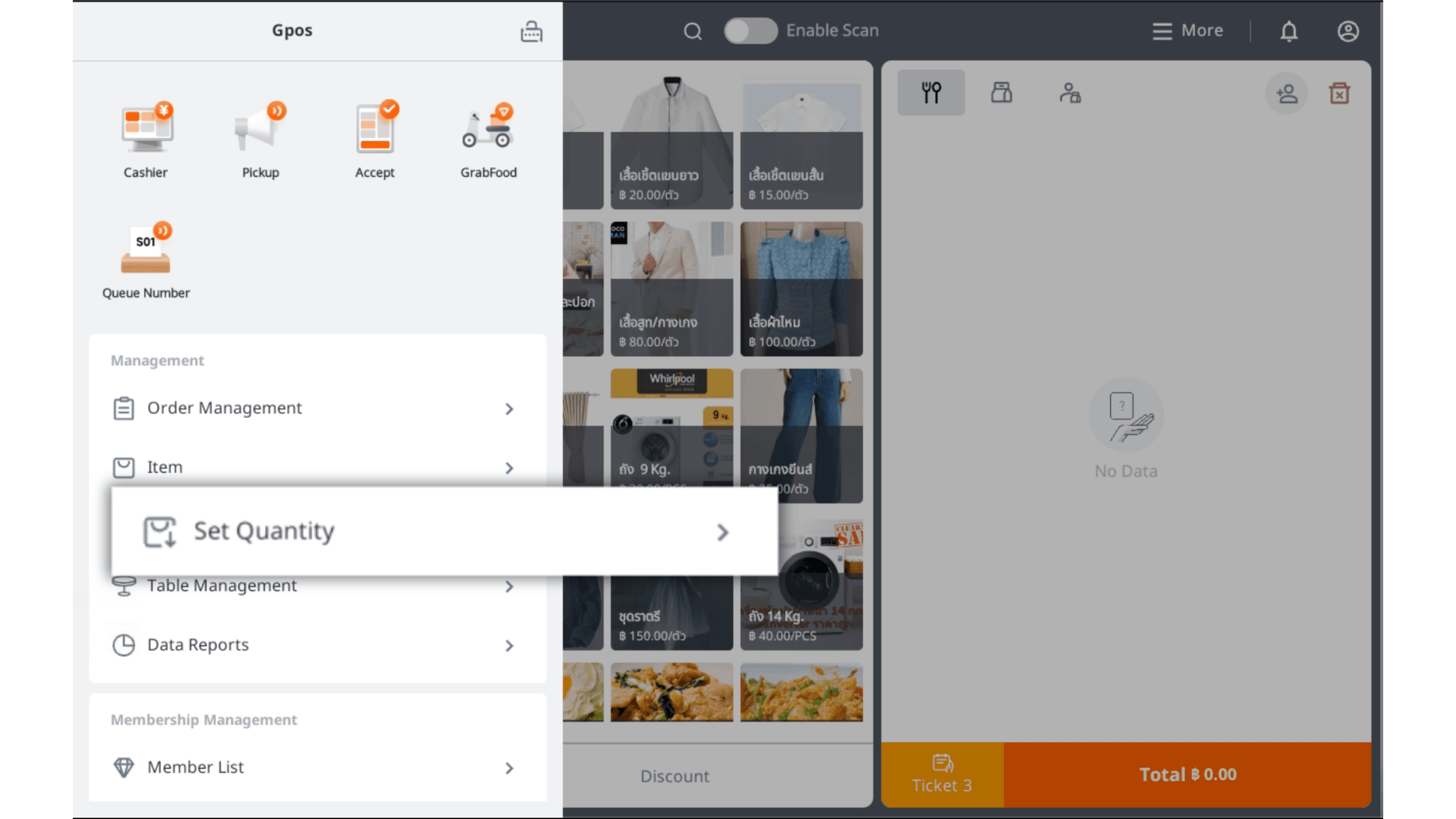
2.Click Set Quantity
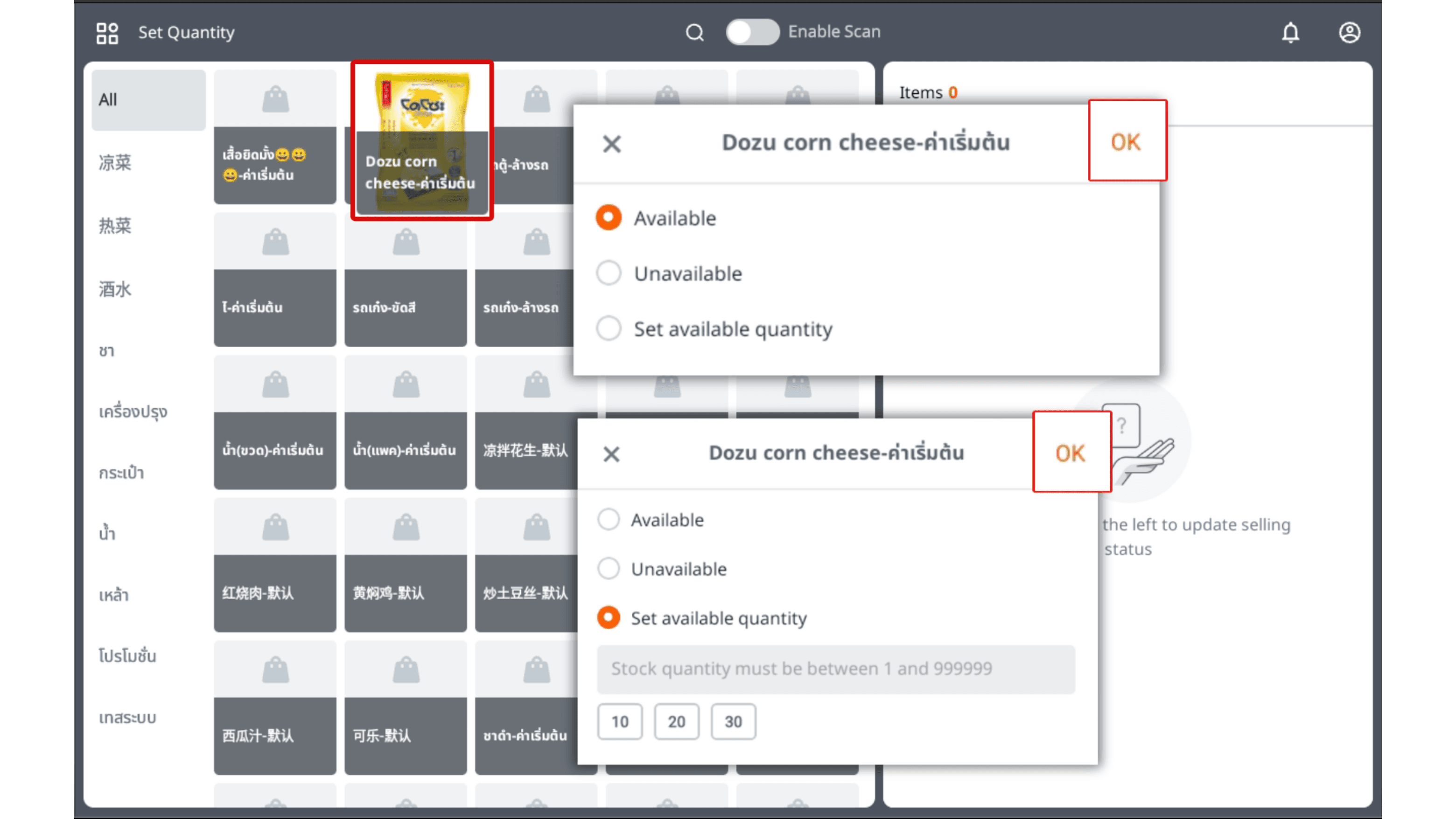
3.Click to select a product item, then choose the status: “Available,” “Unavailable,” or “Set Available Quantity” as needed. Once done, click “Confirm.”
|Set Available Quantity” refers to the stock available for sale. When it runs out, the item can no longer be sold.