




Record Damaged Goods
6 Apr 2026 · 02:15 PM
613 views
Helps categorize types of product damage for daily, monthly, and yearly damage assessment. Stores data for easy historical reference, making store operations simpler and less complicated, without the need for manual recording.
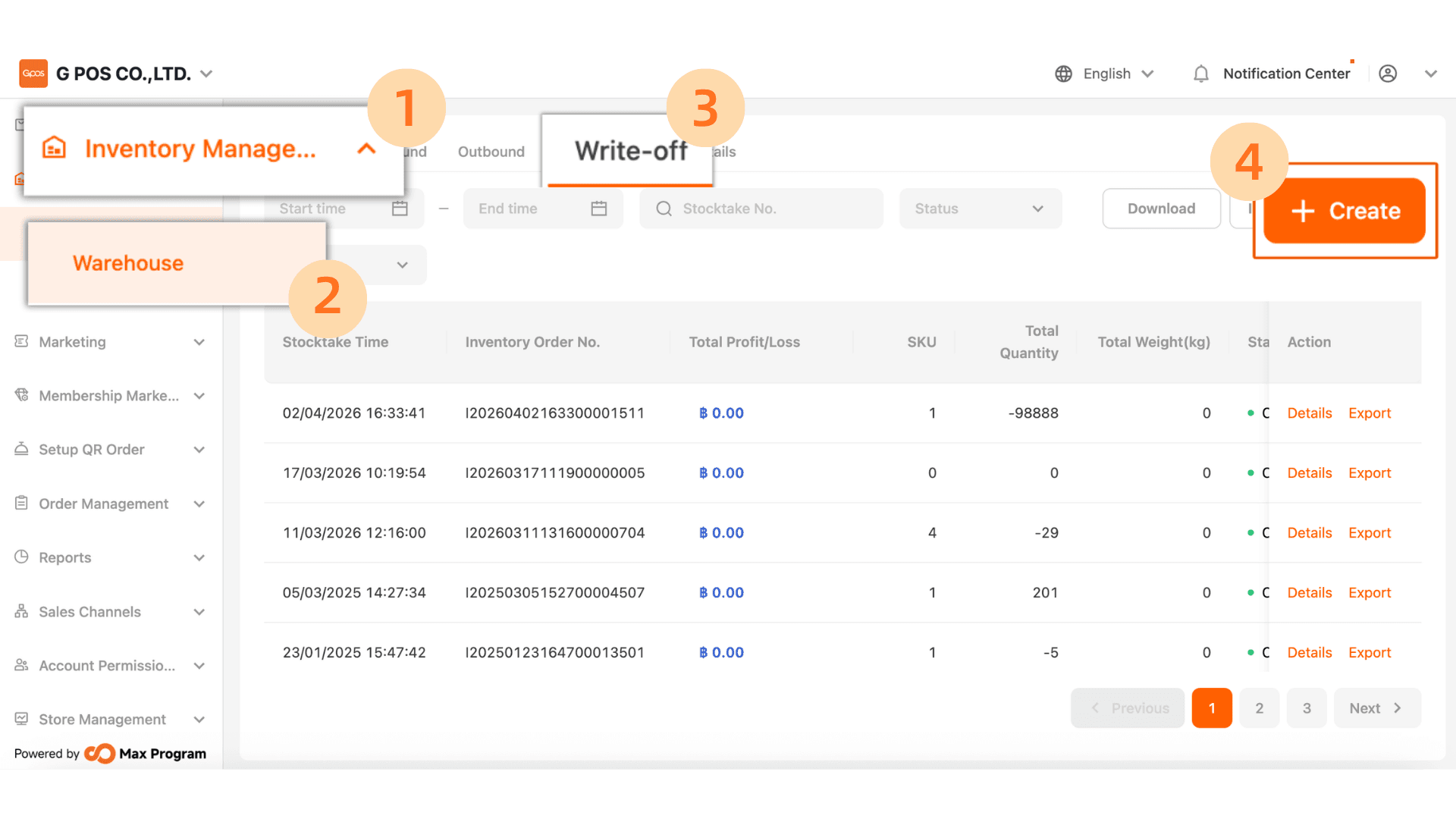
1.Click Inventory Manager > Werehouse > Write-off > +Create
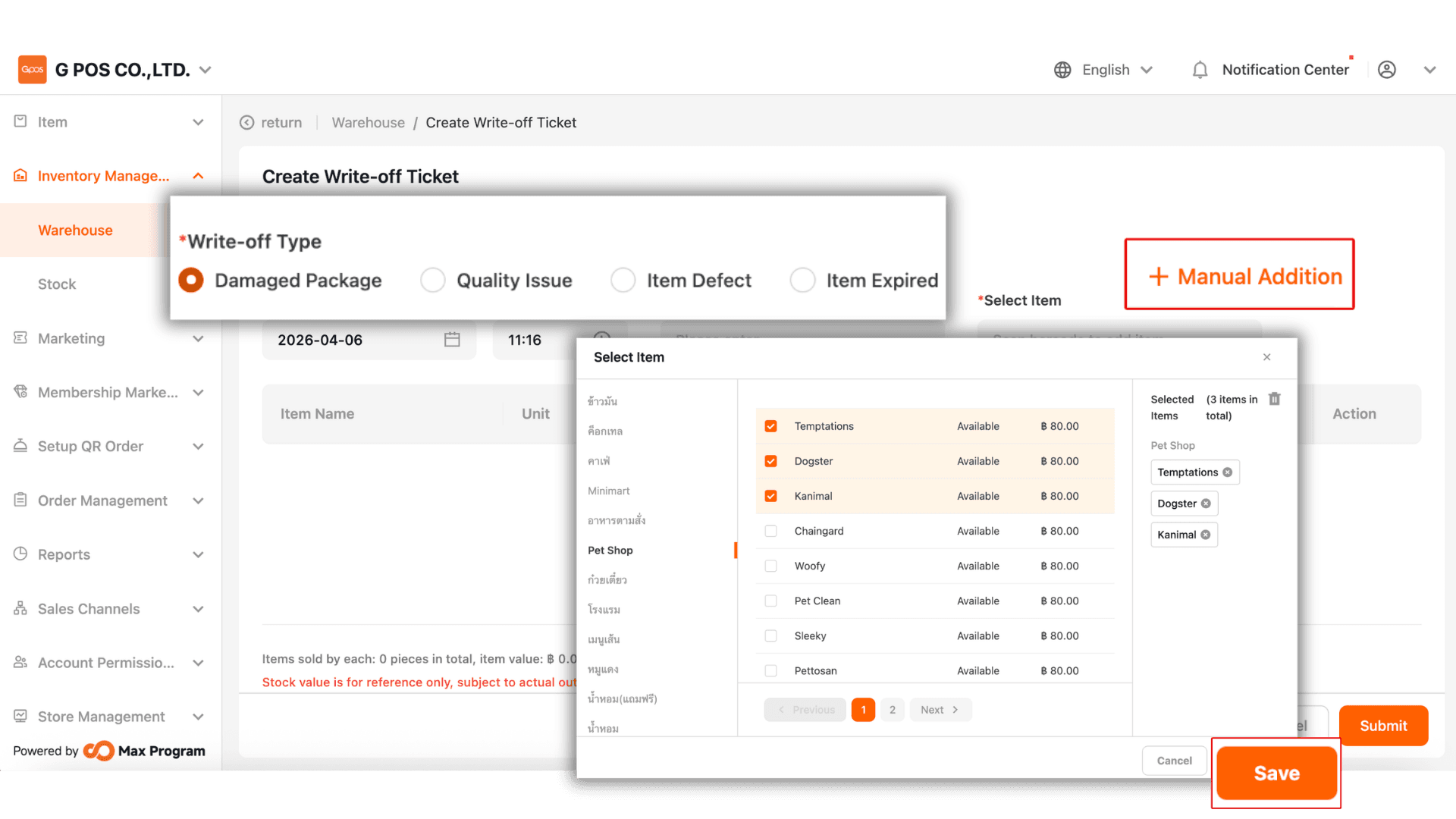
2.You can select the type of damage, then click + Manual Addition to go to the product list page. After selecting the item(s), click Save.
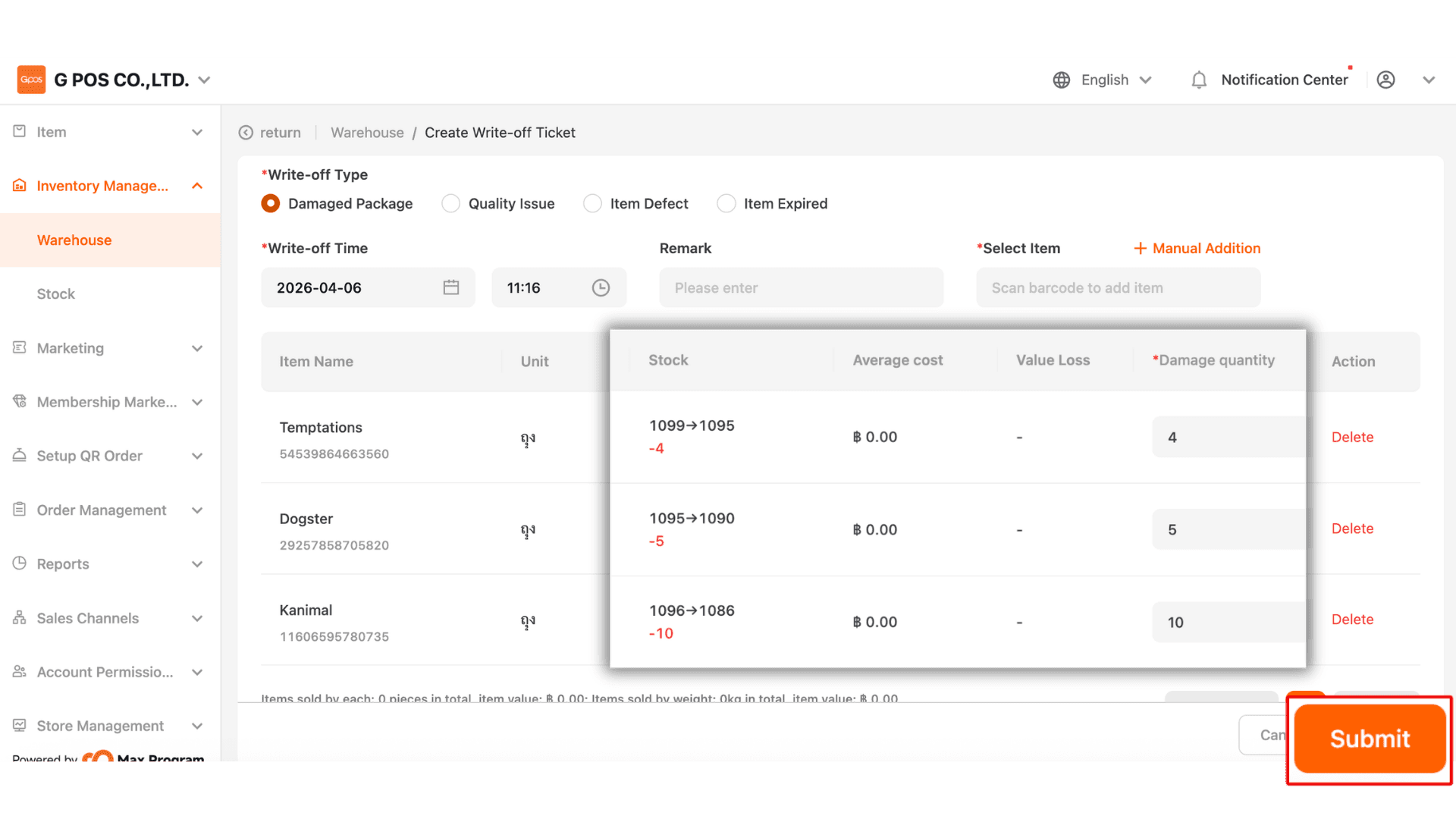
3.Enter the damaged product quantity in the Damage Quantity field. The system will then automatically calculate the remaining stock. After that, click Submit.