




Split Multipack
4 Apr 2026 · 12:07 PM
This function helps stores manage stock for products sold in packs/cases by automatically converting them into single-unit quantities. It reduces manual stock entry and ensures accurate stock levels throughout the system.
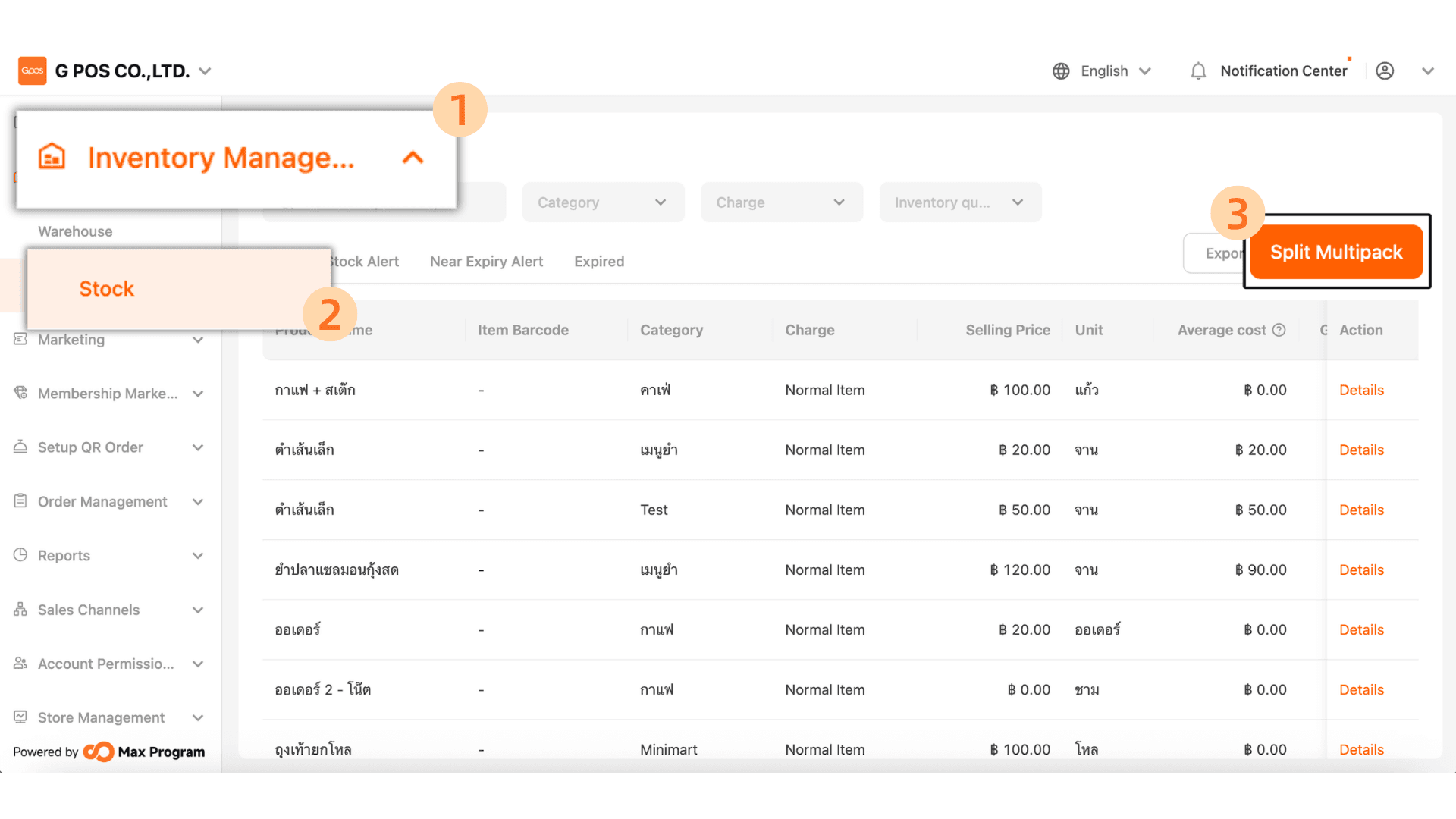
1.Click. Inventory manager > Stock > Split Multipack
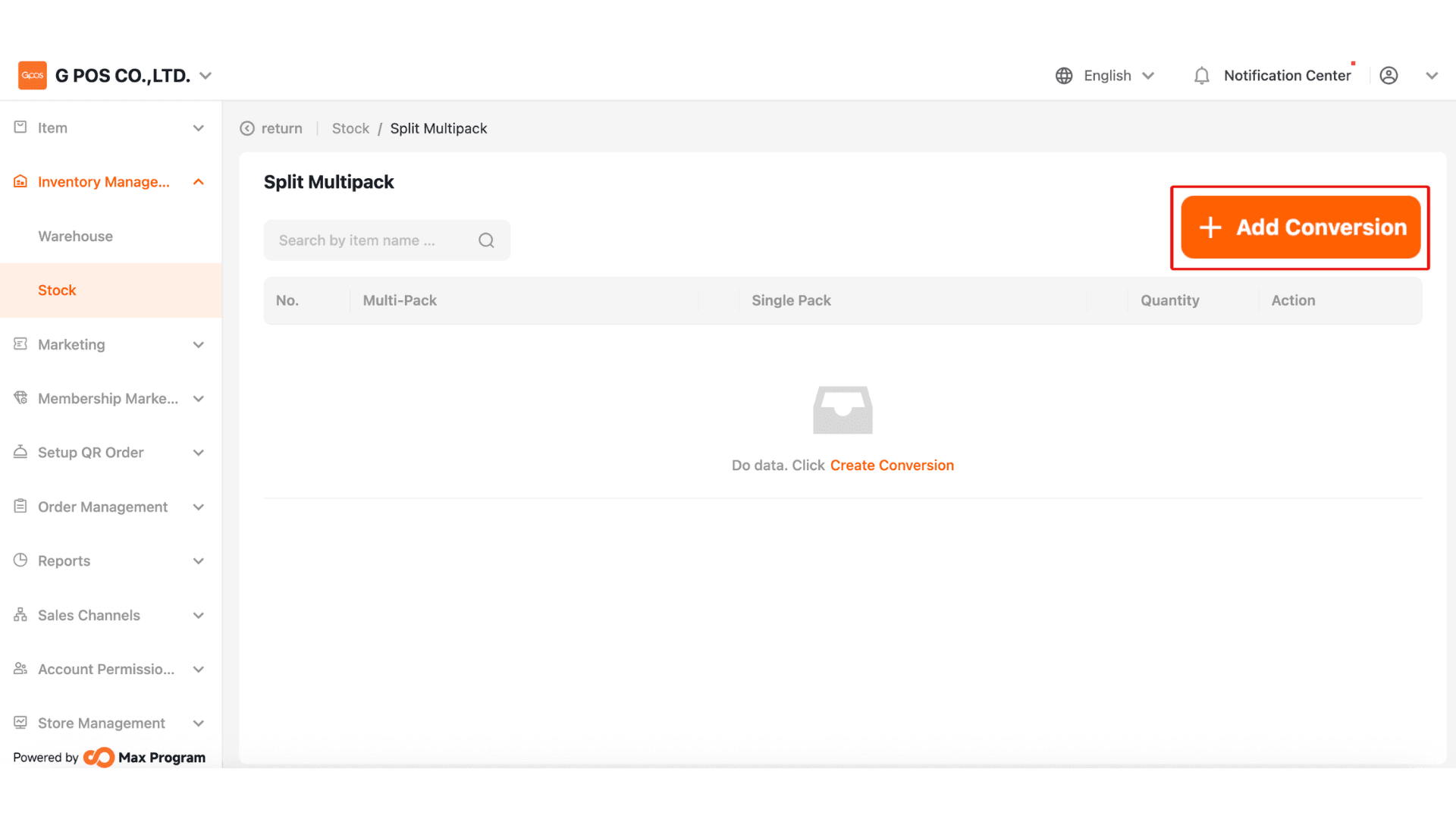
2.Click +Add Conversion
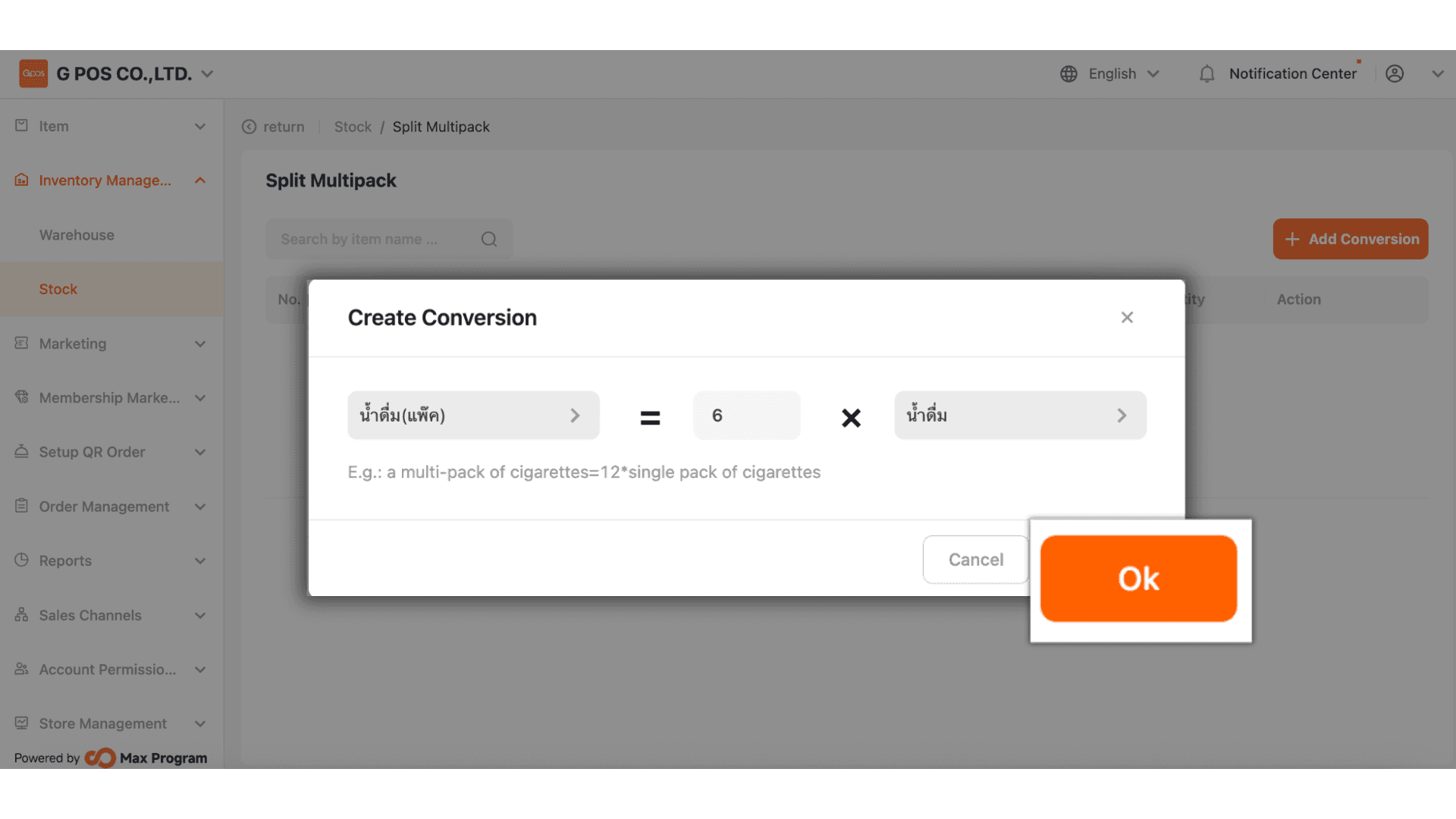
3.To create a split package item:
1.Select the base stock item — for example, wholesale items such as a carton, pack, or dozen.
2.Enter the quantity of retail units contained in the base item — for example, how many bottles are in 1 carton of water. If it contains 6 or 12 bottles, enter that number in Field 2
3.Select the retail sale item — for example, bottle, sachet, or bag.
Once completed, click “Confirm”.
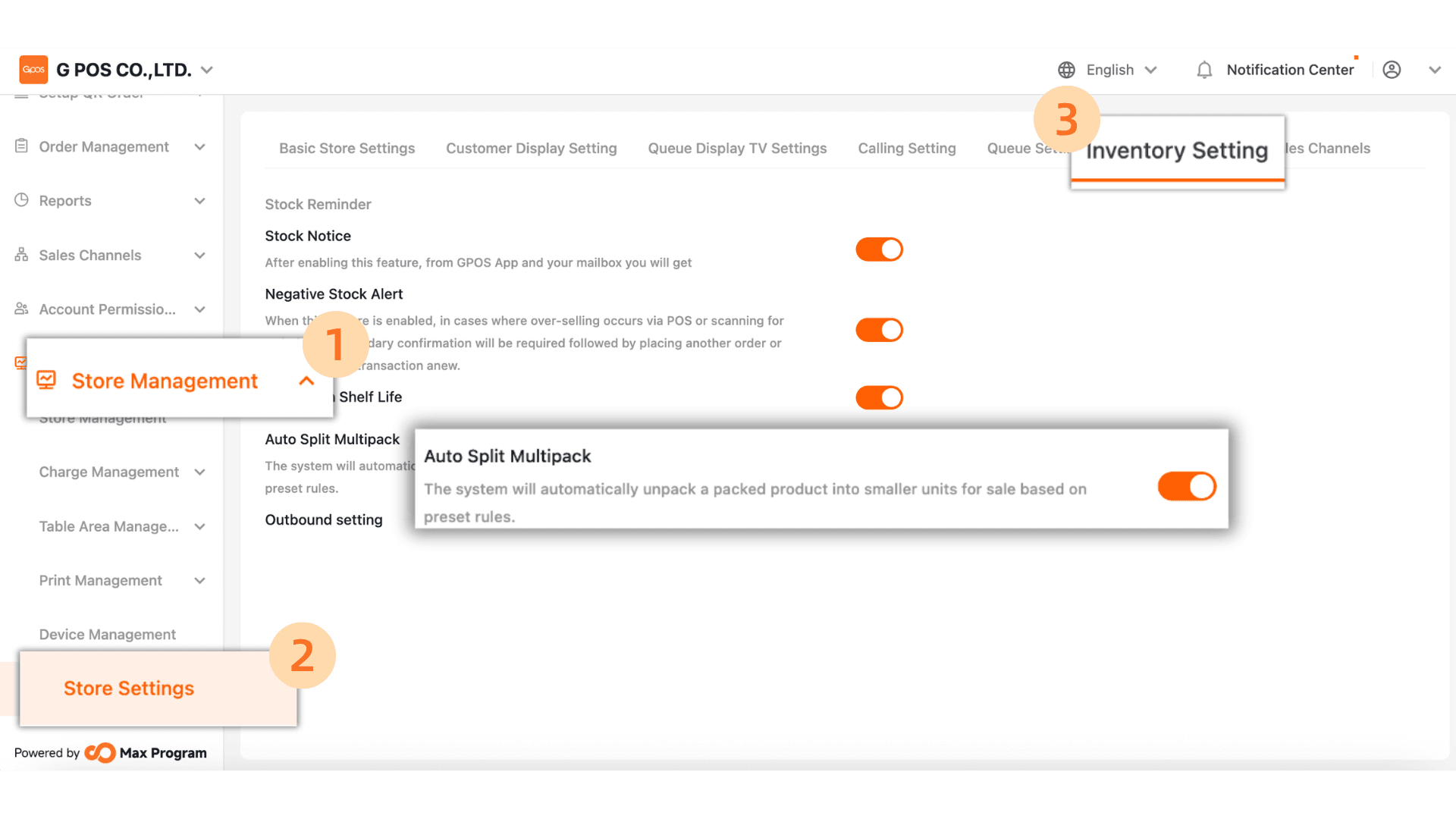
4.After creation is complete, go to
Store Management > Store Settings > Inventory Settings and check the Auto Split Multipack option. Please make sure it is enabled.