




Stock Inventory Counting
2 Apr 2026 · 01:55 PM
Stock inventory counting is the process of verifying the actual quantity of products in stock and comparing it with the data recorded in the system in order to update inventory accurately, reduce discrepancies, and improve the efficiency of inventory management.
1. Log in to the Back Office
Go to login.gpos.co.th, enter your email and password, then click Log in.
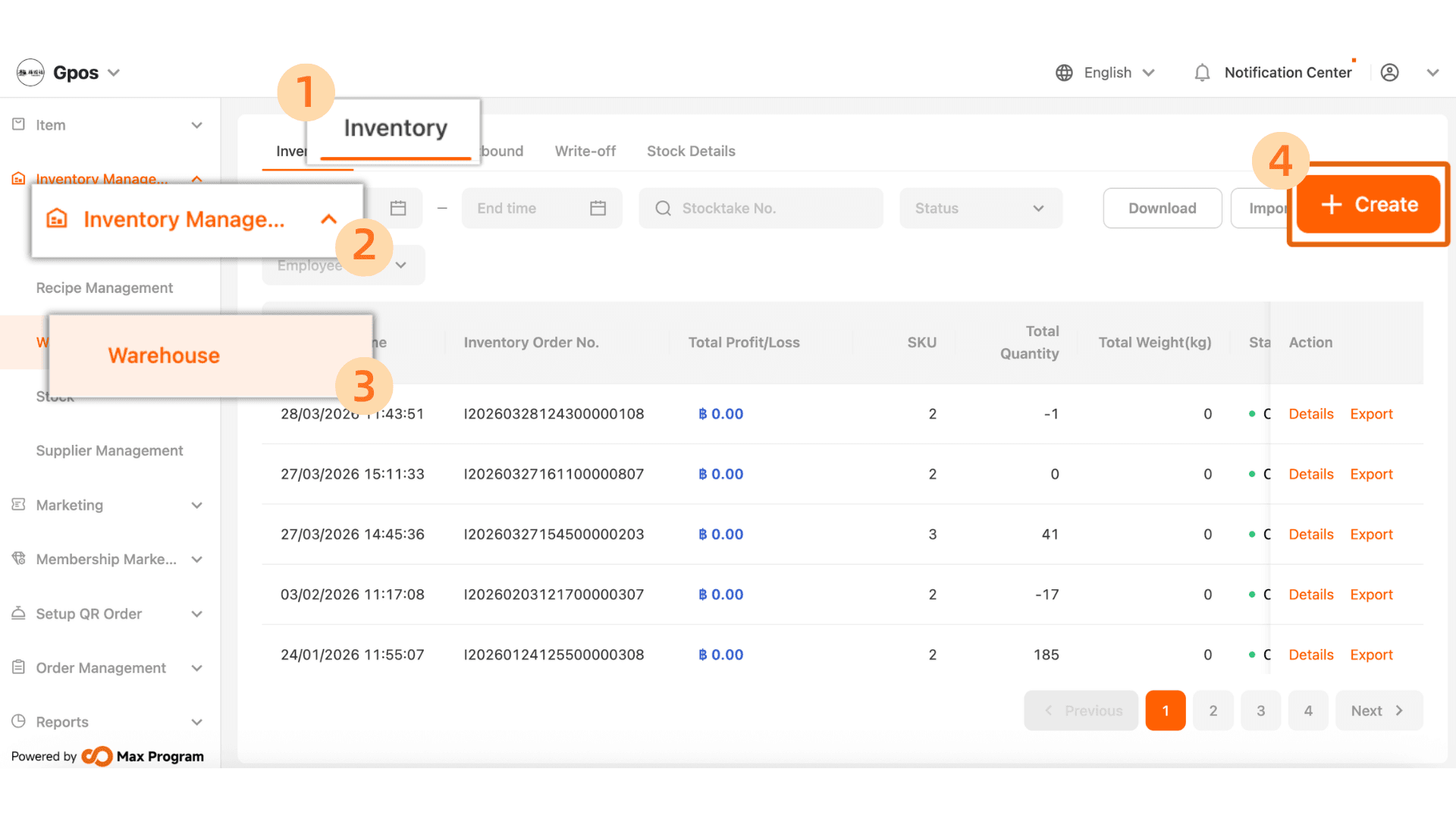
Click Inventory Management > Warehouse > Inventory > +Create
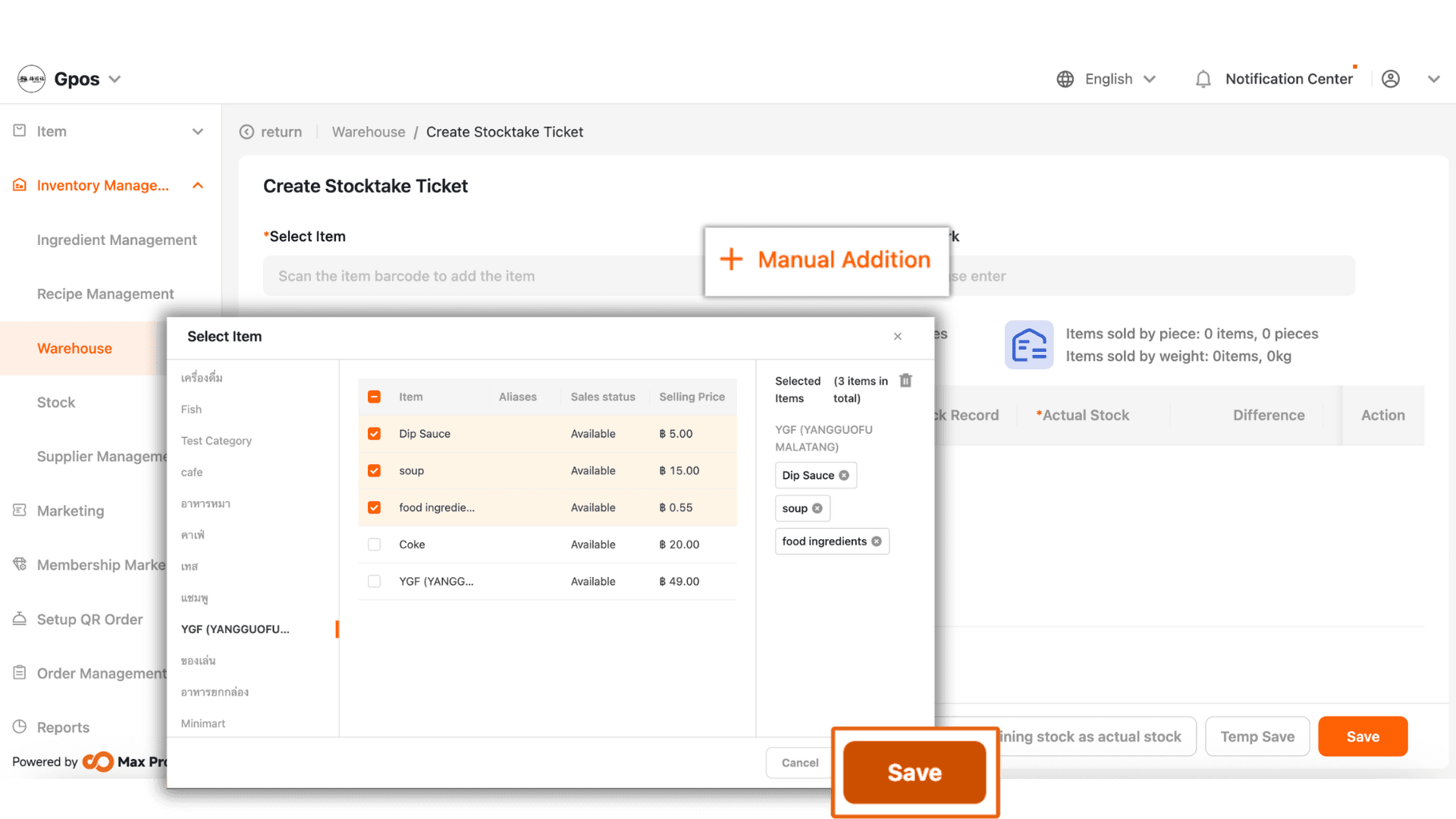
2. Click ‘+ Manual Addition’ to select the items you want, then click ‘Save’.
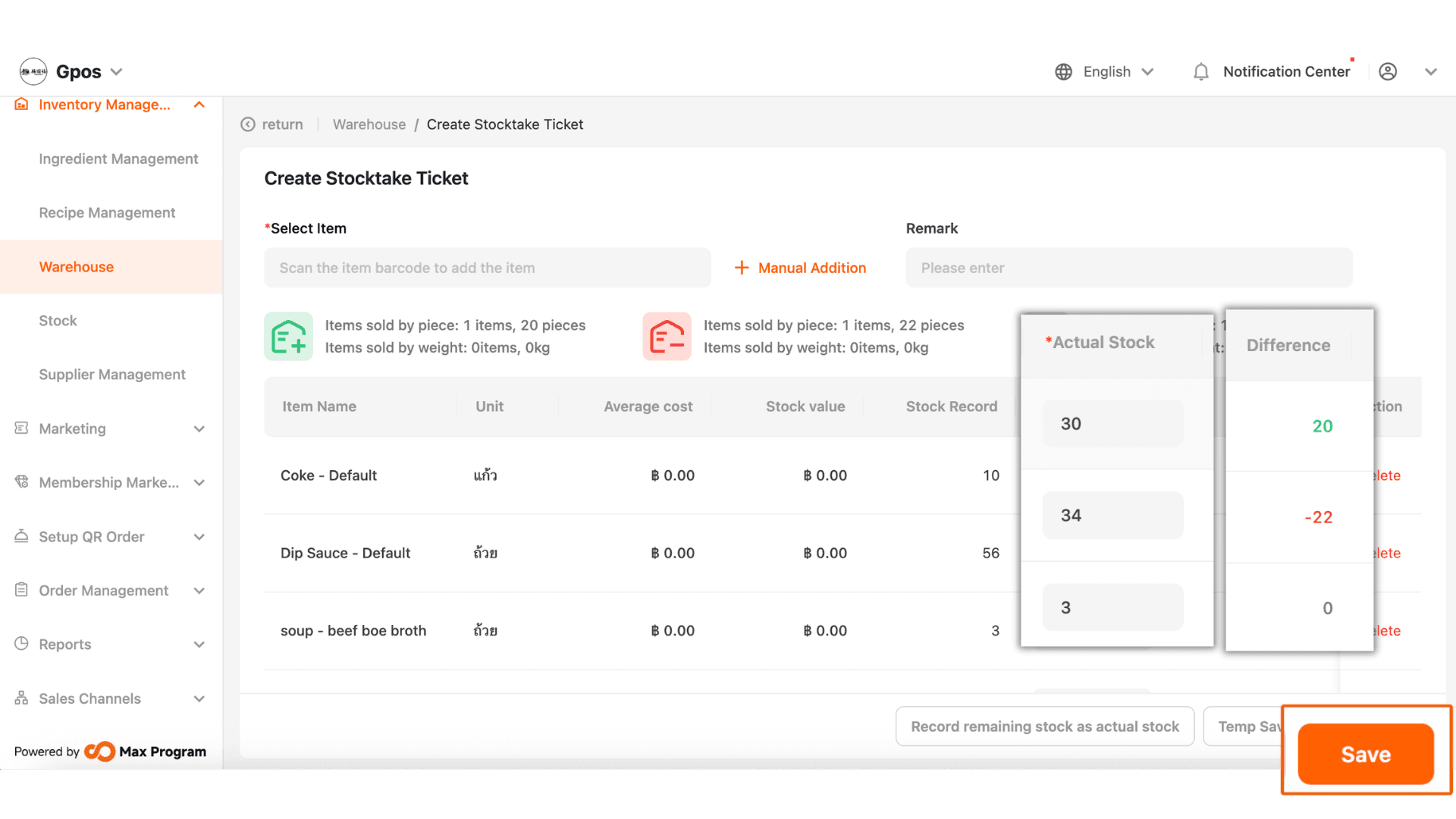
3. Enter the actual counted stock in the ‘Actual Stock’ field. The system will automatically calculate the stock difference, then click ‘Save’.
|The system will update the stock to the actual quantity immediately after clicking Save.
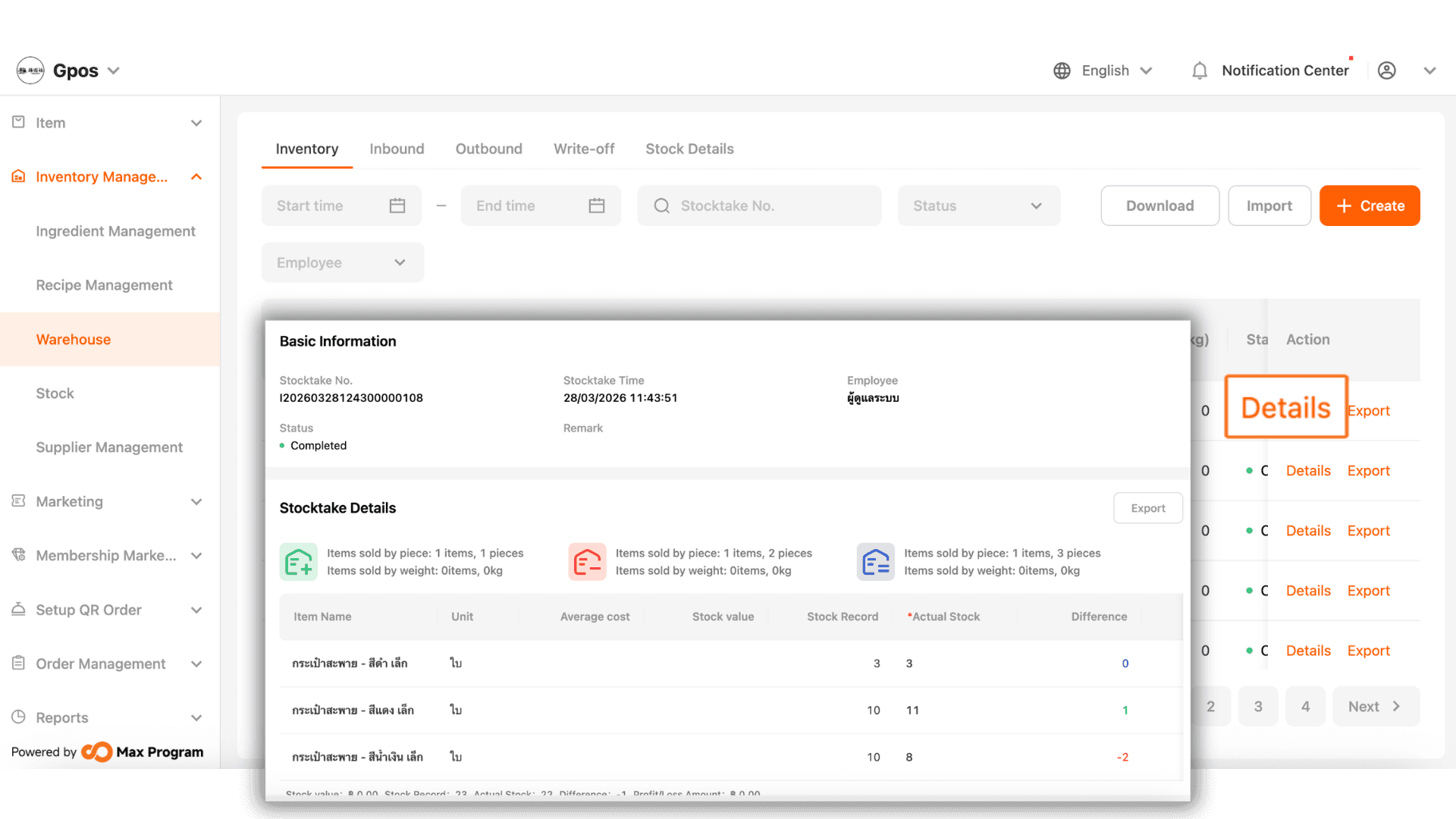
4.The system will return to the main page, where you can check the operation history by clicking ‘Details’.