




How to Create Ingredients
11 Jul 2026 · 10:30 AM
Manage your ingredients efficiently by linking them to menu items, enabling automatic inventory deduction, reducing errors, and helping you control food costs
เมือทำการสร้างวัตถุดิบเรียบร้อยแล้ว สามารถคลิกลิงค์ นี้ เพื่อดำเนินการผูกสูตร วัตถุดิบไปยังรายการสินค้า การจัดการสูตร
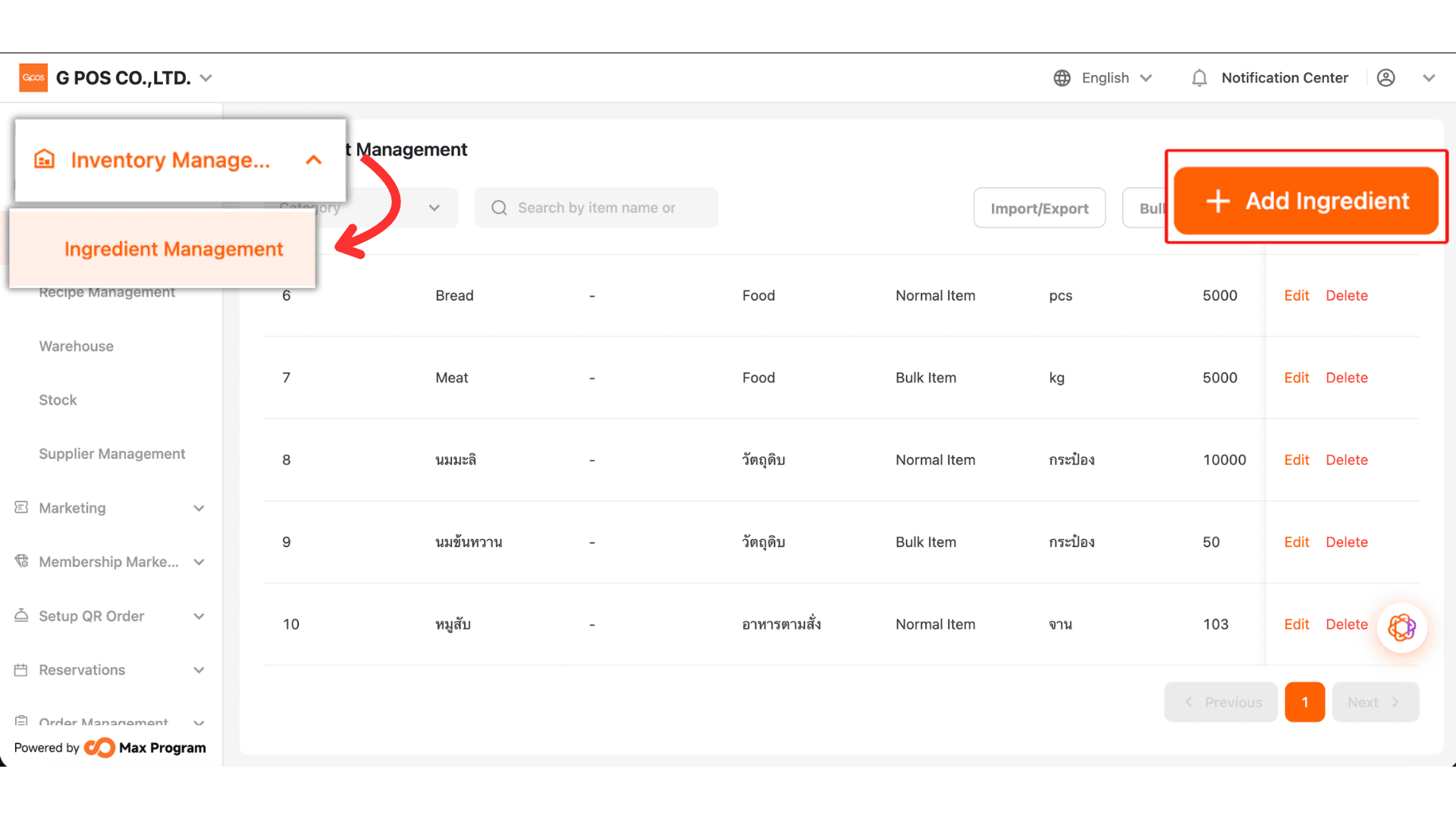
1.Click Inventory Management > Ingredient Management > + Add Ingredient
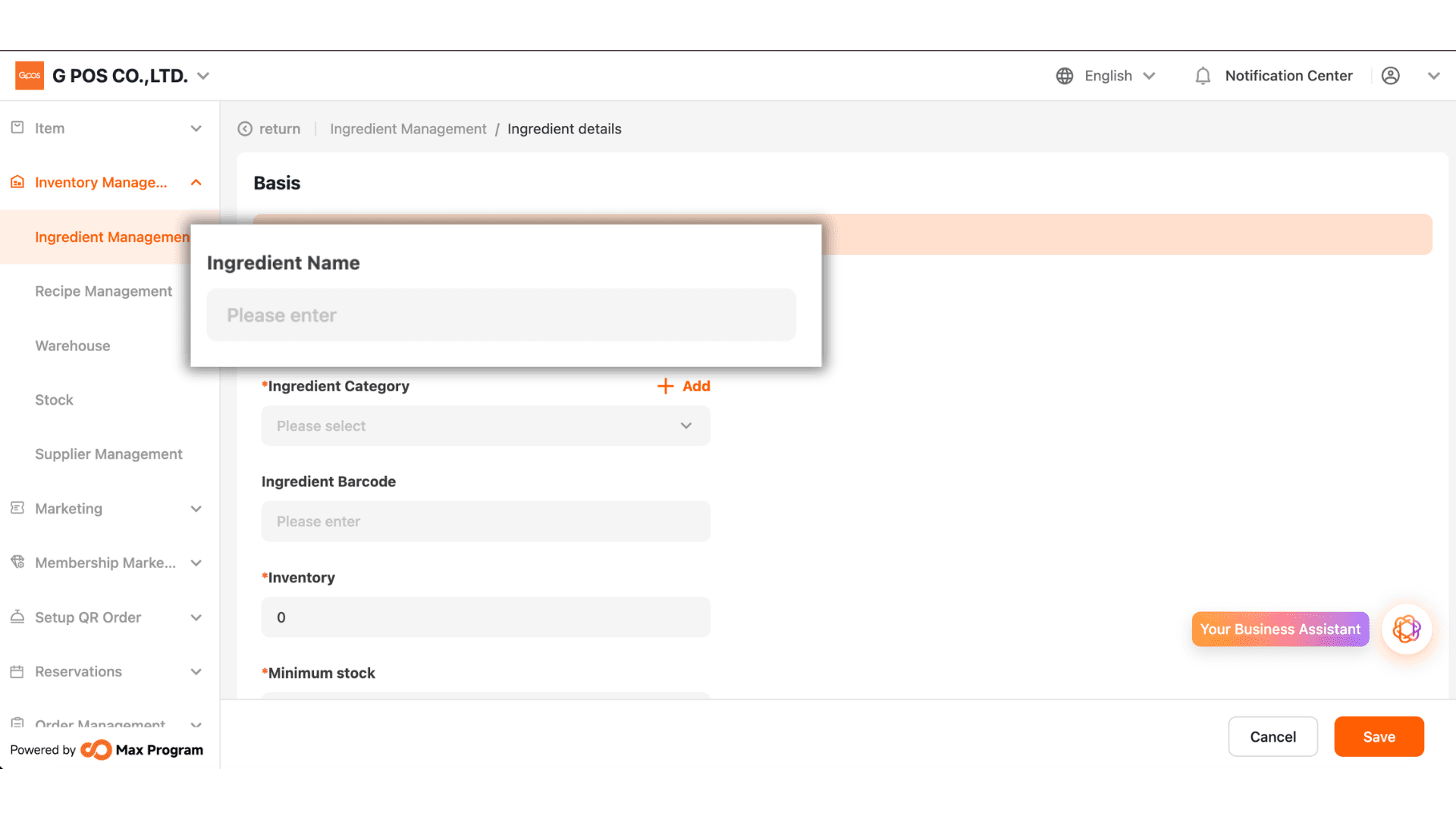
2. Enter the ingredient name
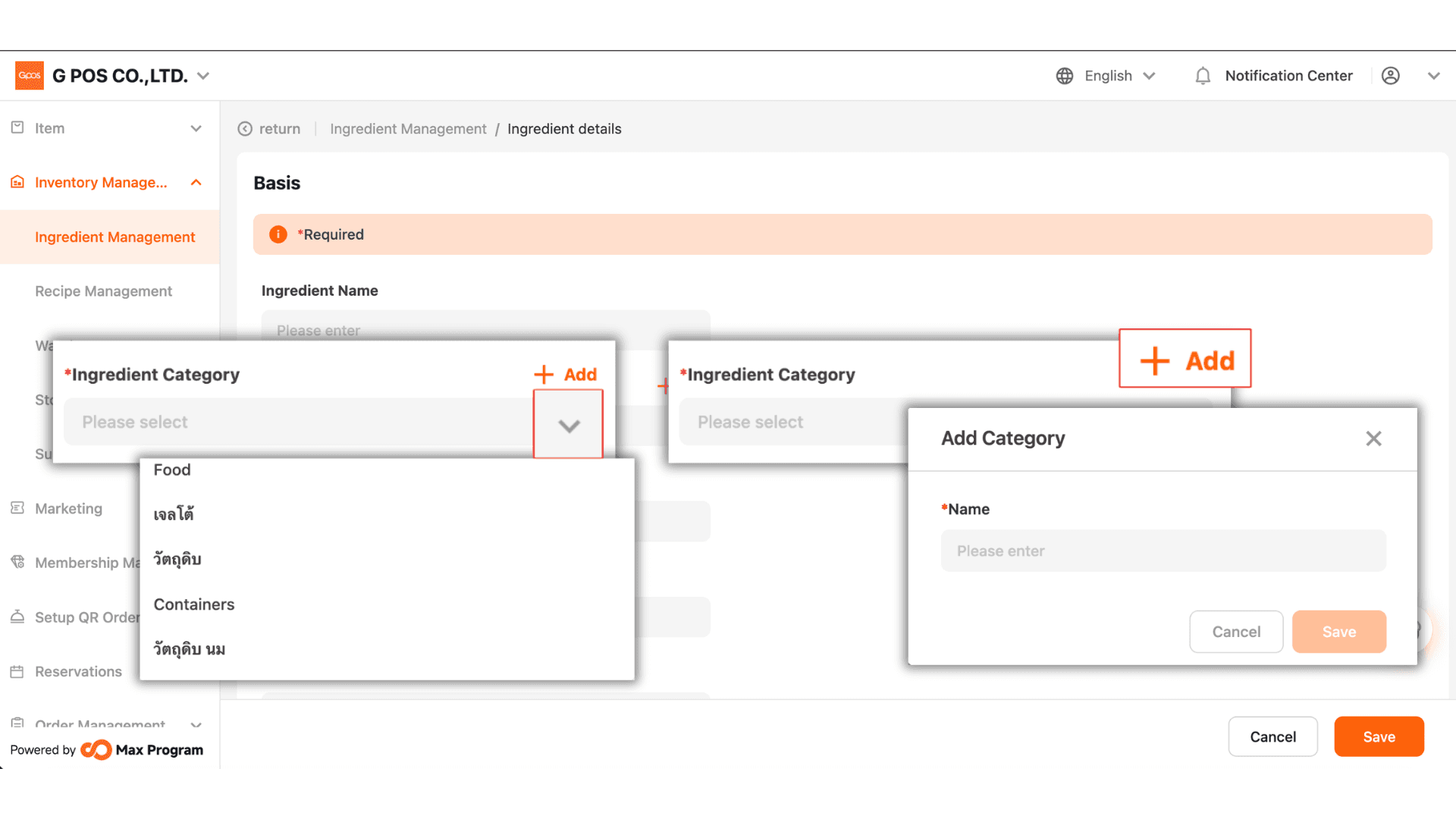
3. If a category has already been created, you can click the V to select it.
If not, you can click +Add to create a new category for the raw material.
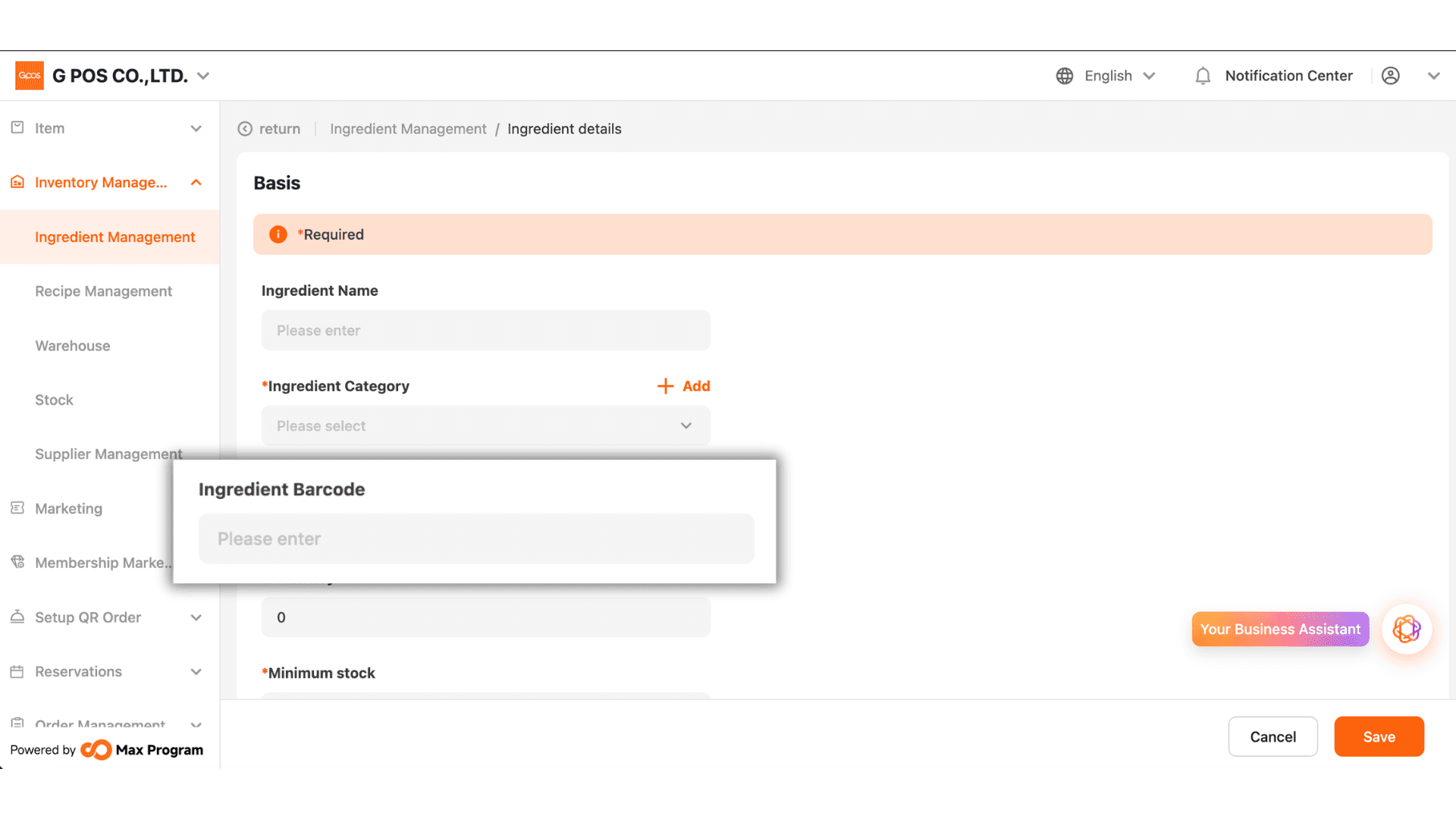
4. Enter the barcode (if available) to make it easier to search for the ingredient in the system.
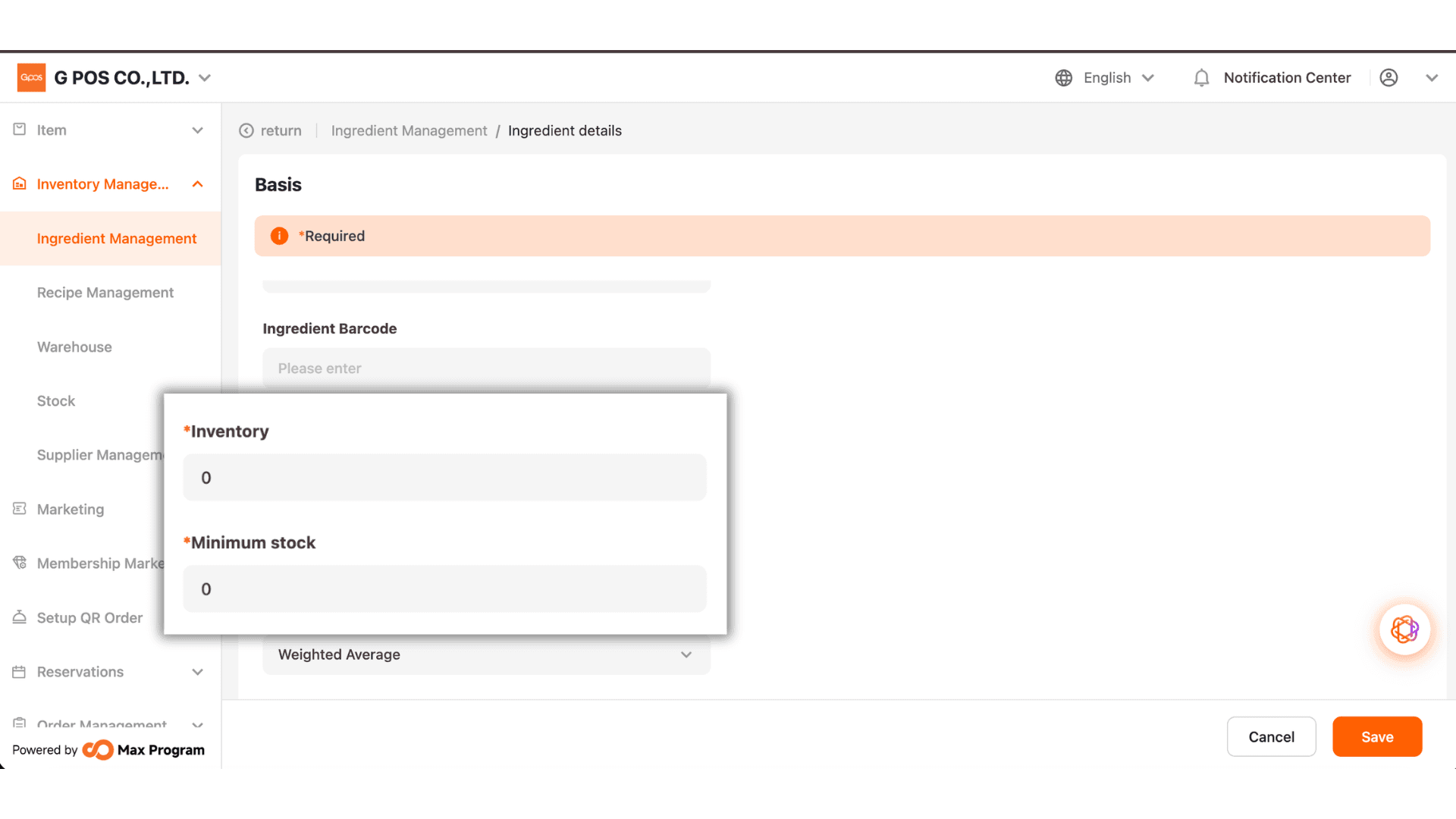
5. In the Stock Quantity field, enter the total stock available. For example, if you have 10 bottles of milk in stock, enter "10".
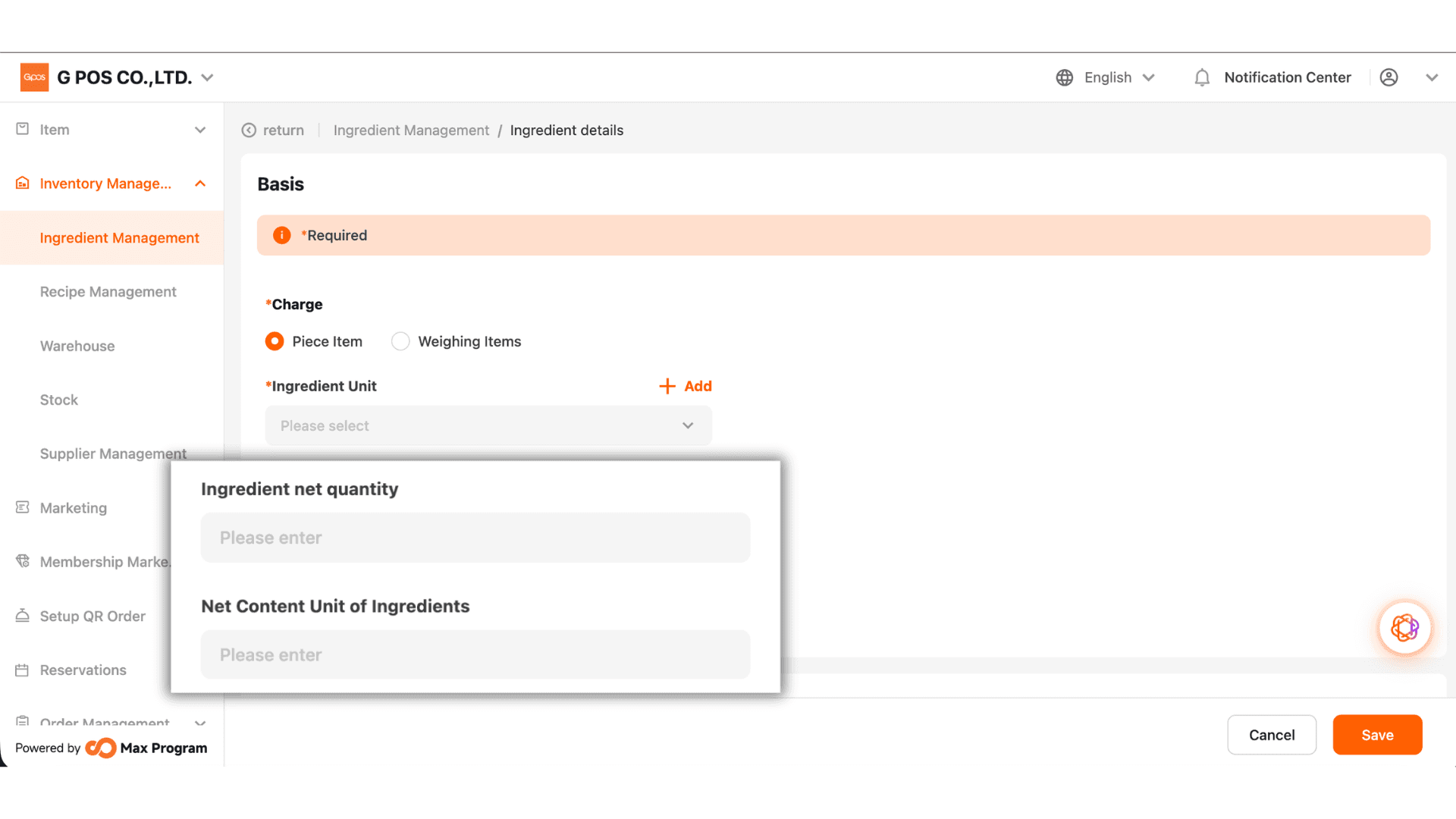
6. Enter the unit based on the ingredient type. For example: Milk → Bottle, Condensed Milk → Can, Sugar → Bag, etc.
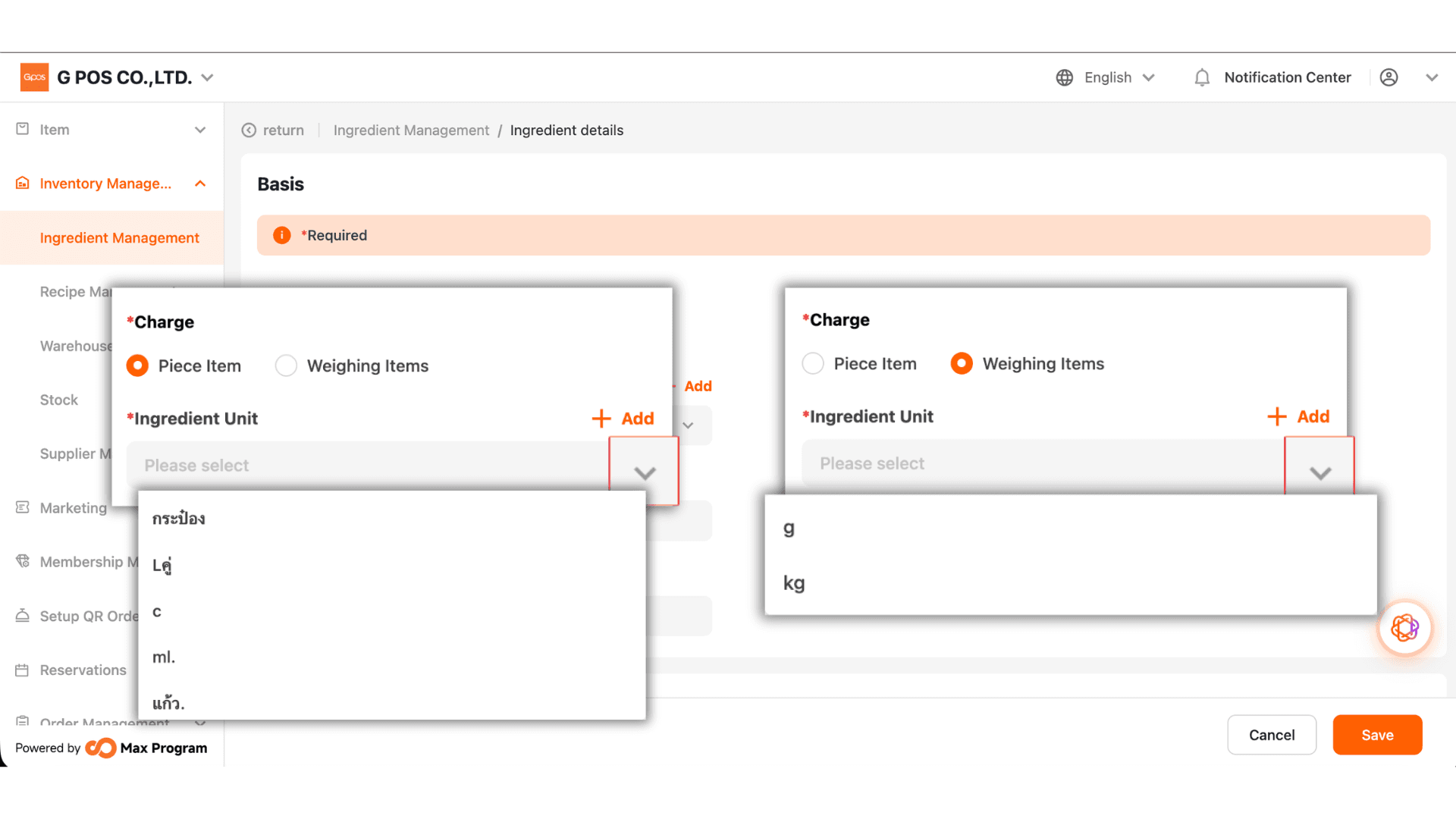
7. Enter the net quantity of the ingredient based on a single package. For example, if one can of milk contains 150 mL, enter "150" as the quantity and select "mL" as the unit, according to the product packaging.
Note: If you have multiple packages of the same ingredient in stock, enter the net quantity for one package only. The system uses this value to calculate the amount consumed per use, ensuring accurate inventory deduction and stock calculations.